16
Player Modes
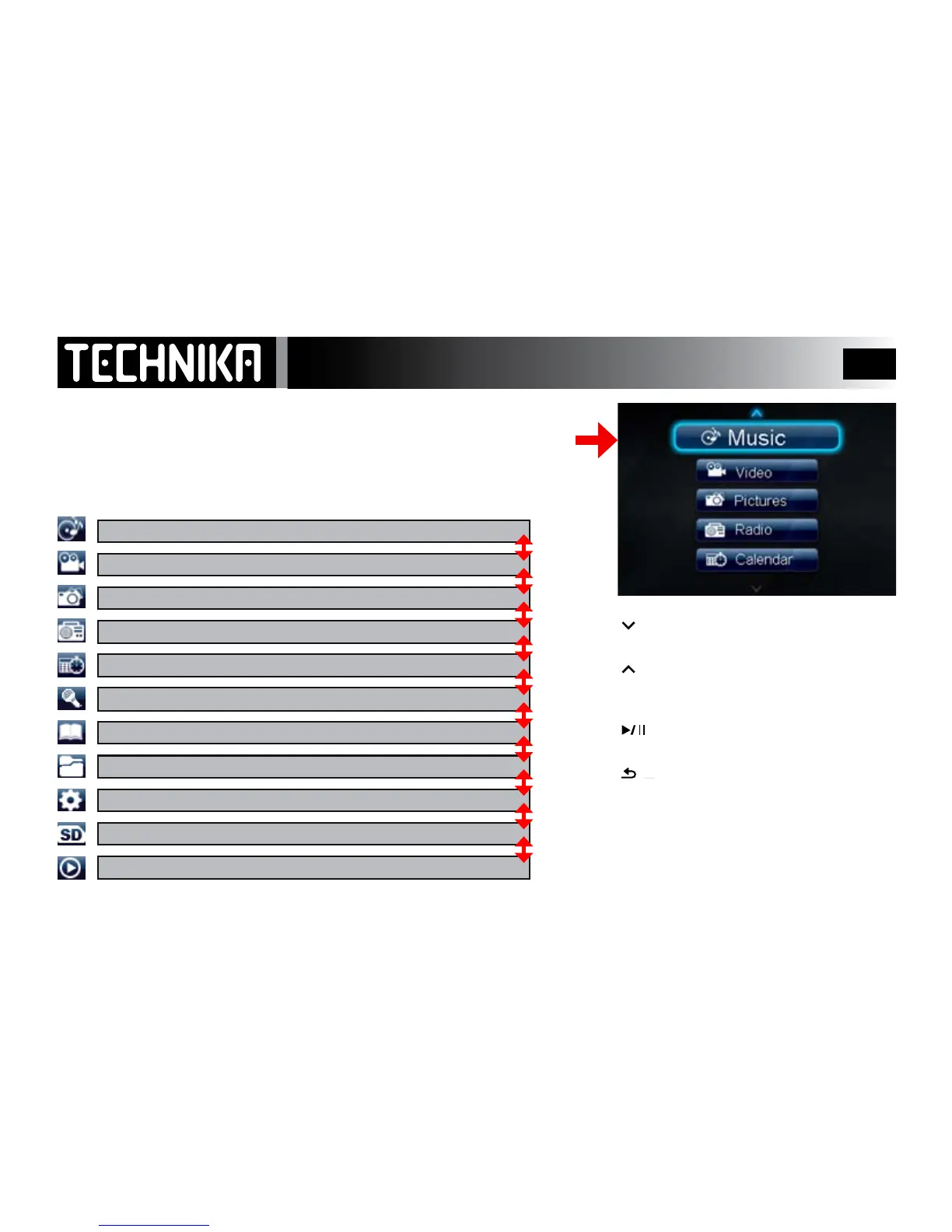
When you rst turn on the player, the main menu appears.
(In normal use the player will return to the last used menu when switched on)
Your player has the following modes:
Pressthe
keytomovedownthemodes.Repeat-
edlypressthekeytocycleallthemodes.
Pressthe
keytomoveupthemodes.Repeat-
edlypressthekeytocycleallthemodes.
When you reach the desired mode:
Pressthe
keytoenterthemode.
To return to the main menu from any mode:
Pressthe
button(repeatedlyifneeded)
SD Card mode: This appears only when an SD card
is inserted into the SD card socket on the player.
Now Playing/Last played mode will not appear
after the player is updated.
Music: Play MP3, WMA, WAV and other supported song formats
Video: Watch MP4, FLV and other supported video les
Pictures: View JPGs and other supported images
Radio: Listen to and record FM Radio
Calendar: View (and change) the current Calendar date
Recordings: Make Voice recordings. Play Voice and Radio recordings
Text Reader: View text messages and e-books (in .TXT format)
Folder View: Browse all folders on the player; view and play the contents
Settings: Access and change system settings
Sd card: View and play all supported les stored on the SD card
Now Playing/Last Played: Return to and play the current/last played le



 To Next Page