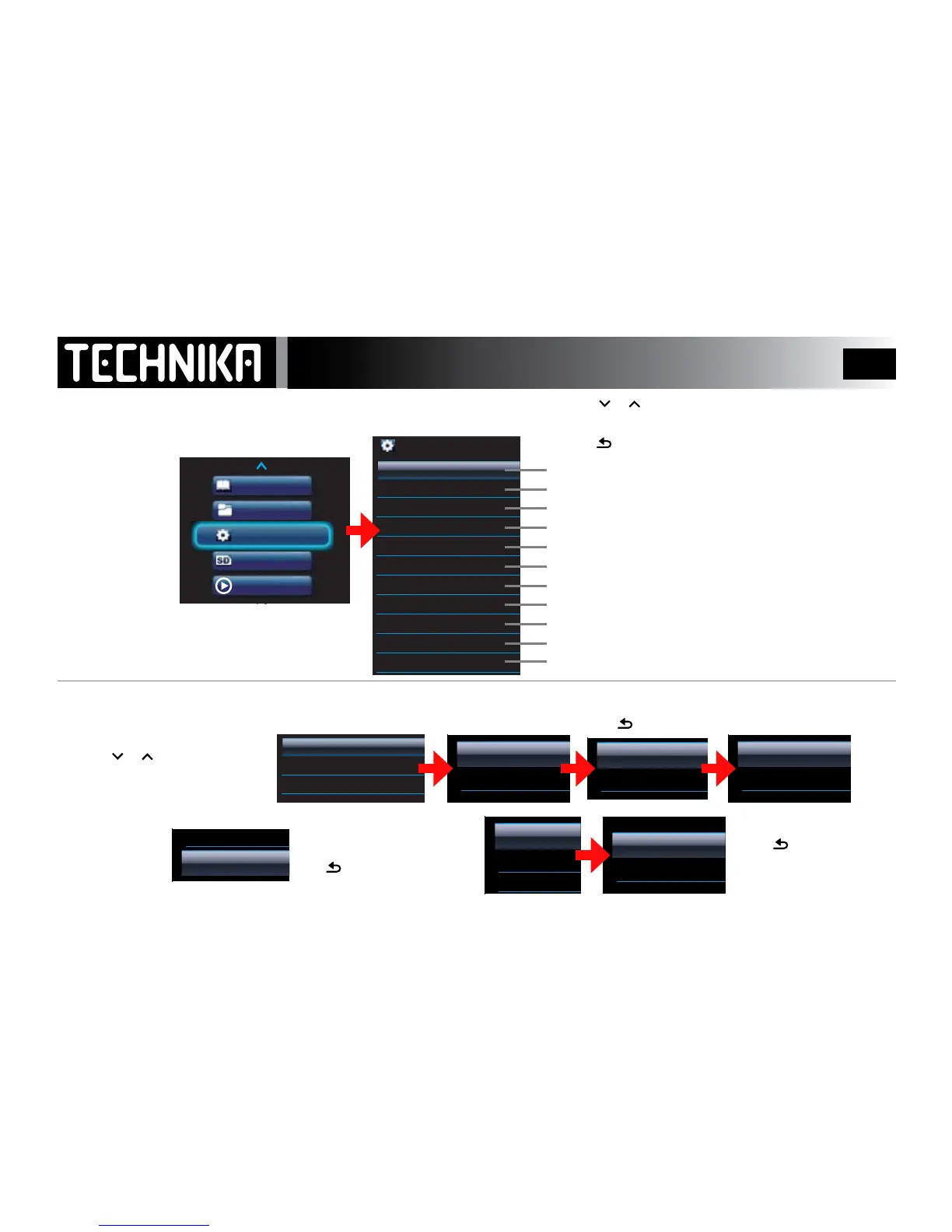
System Settings -1
Set Shue and Repeat Options
Restore the player to default factory settings
Set MsPlayFX and Eqaliser options
View player information
Alter Backlight, Brightness and LOCK settings
Set the time
Set a time after which the player switches o
Set the date
Enable/Disable Lyric display in music les
Use the player as an alarm clock - There are 2 alarm settings
Select a display language
You can customise the player to your per-
sonal requirements via the Settings menu
Switch the player on.
• Select “Settings”
• Press
►/ I I
• Press or to select a setting
• Press
►/ I I
to enter and alter the parameter
• P
ress repeatedly to return without altering the setting
• Press or to select “Playmode”
• Press
►/ I I
Select “Shue All”
• Press
►/ I I
Select “Repeatl”
• Press
►/ I I
Press repeatedly to return to
the main settings menu
Select a Repeat mode
• Press
►/ I I
to conrm
Press to return without
conrming
Select a shue mode. Press
►/ I I
to conrm
Press to return without conrming
SETTING THE PLAYMODE
Refer to Page 19-20 for fuller details



 To Next Page