26
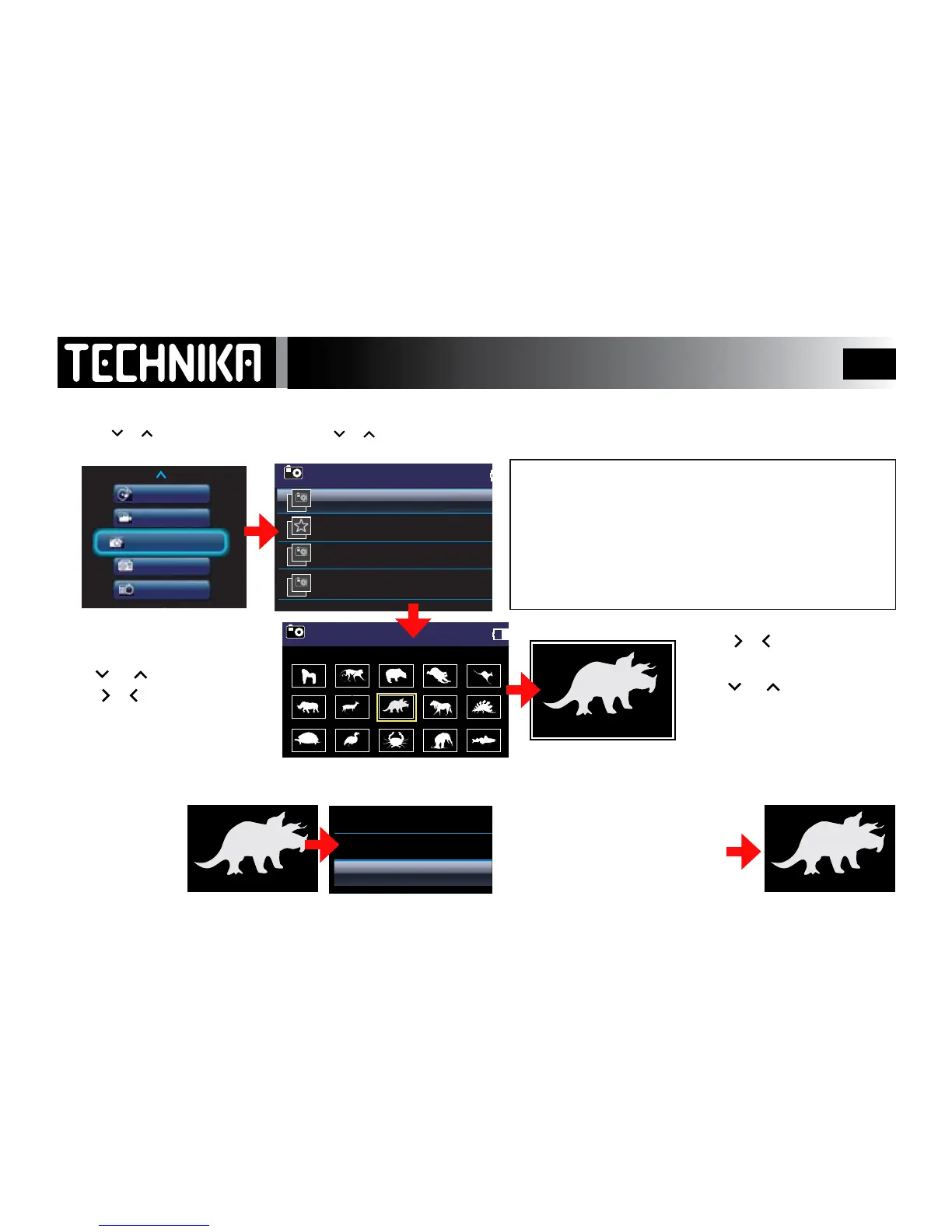
Viewing Photos-Manual Play
Switch the player on.
• Press
or to select “Pictures”
• Press
►/ I I
All the folders with picture les display
• Press
or to select a folder
• Press
►/ I I
to conrm.
Select “Add to Favorites”. Press
►/ I I
All Pictures: Allpicturesintheplayerdisplay.
Favorites: Thisisalistofyourfavouritepictures.towhich
youcanaddandremovepictures.
PICTURES: ThisisthefolderthePlayercreates.
Other Folders which are created by you will also display
here but only if they contain pictures.
All the pictures in the folder
display as thumbnails.
Press
or tochangerows
Press
or
togoalongarow
The selection is highlighted
• Selectapicture:Press
►/ I I
Press
or
tomovetothe
next/previouspicture
Press
or torotatethe
image.Eachpressrotatesthe
imageby90°
Adding an image to “Favorites”
• PressMENU
The selected picture is added
to the Favorites list.
The display reverts to the
current image



 To Next Page