6
Getting Started
Before using the player you should charge the battery
• Makesuretheplayerisswitchedo.
• ConnectthesuppliedUSBcabletotheplayer
• PlugthecableintoafreeUSBportonthePC.
• Thecomputersystemdetects“Newhardware”andinstallsthedriver
automatically.Waitforthesystemtonishtheinstallation.
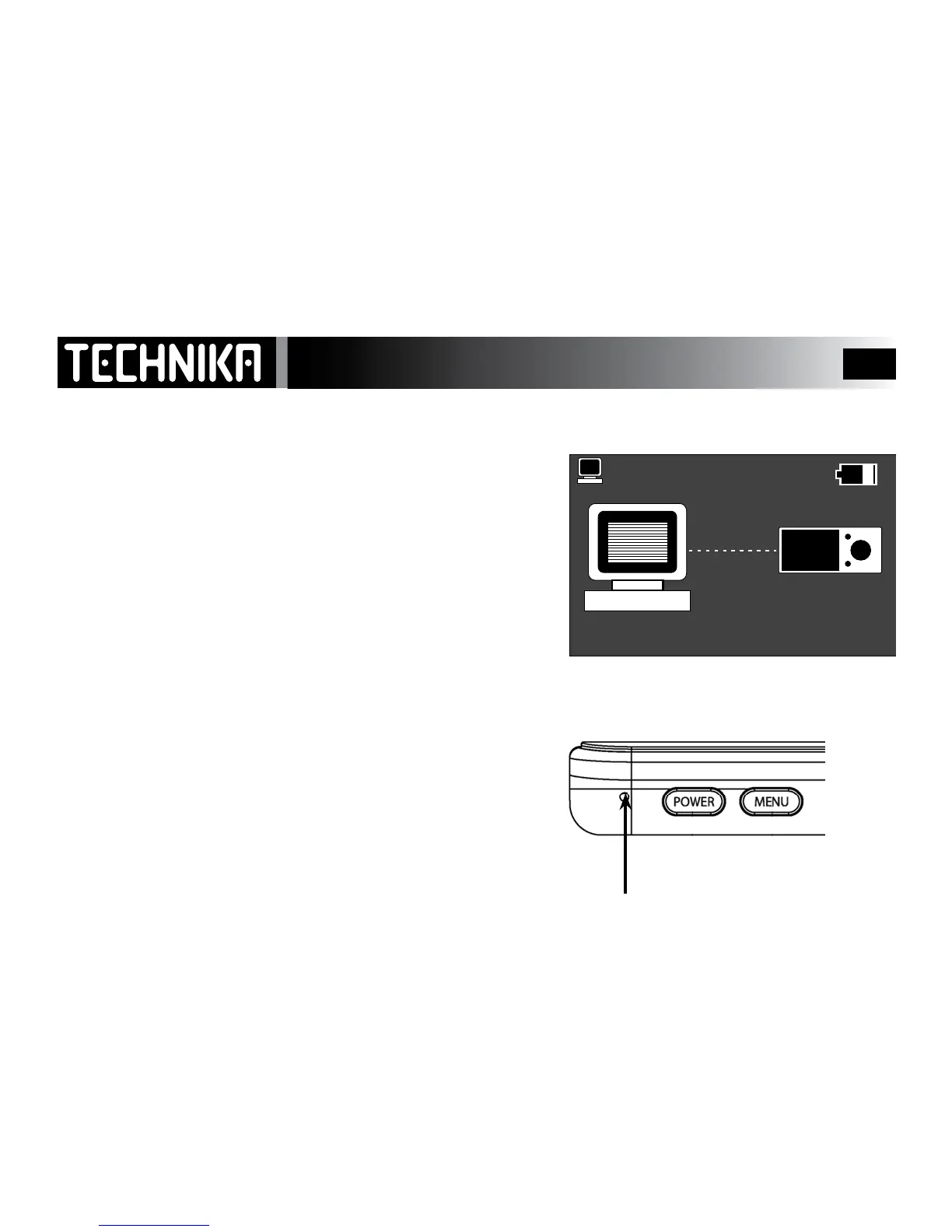
• Ifconnectionissuccessfulyouwillseetheplayerscreenontheright.
• WhentheplayerisconnectedtothePC,twodriveswillbecreatedin
“MyComputer”.RefertoPage13forfurtherinformation
• Youshouldleavetheplayerbatterytochargeforatleastsixhours.
Whiletheplayerischargingyoucanuploadlesdirectlytotheplayer
andsynchroniseyourmusicviaWindowsMediaPlayer10or11.
The player controls are disabled when it is connected to the PC!!
RESETTING THE PLAYER
Ifforanyreasontheplayerfreezesandthescreenblanksoutitwillbe
necessarytoperformthisresetprocedure.
• DisconnecttheplayerfromthePC(Refer to Page 15).
• LocatetheRESETholeontheplayer
• Placeasmallpieceofwire(theendofapaperclip)intotheholeand
pressgently.
• Thiswillresettheplayerwhichwillnowworknormally.



 To Next Page