31
Voice Recording
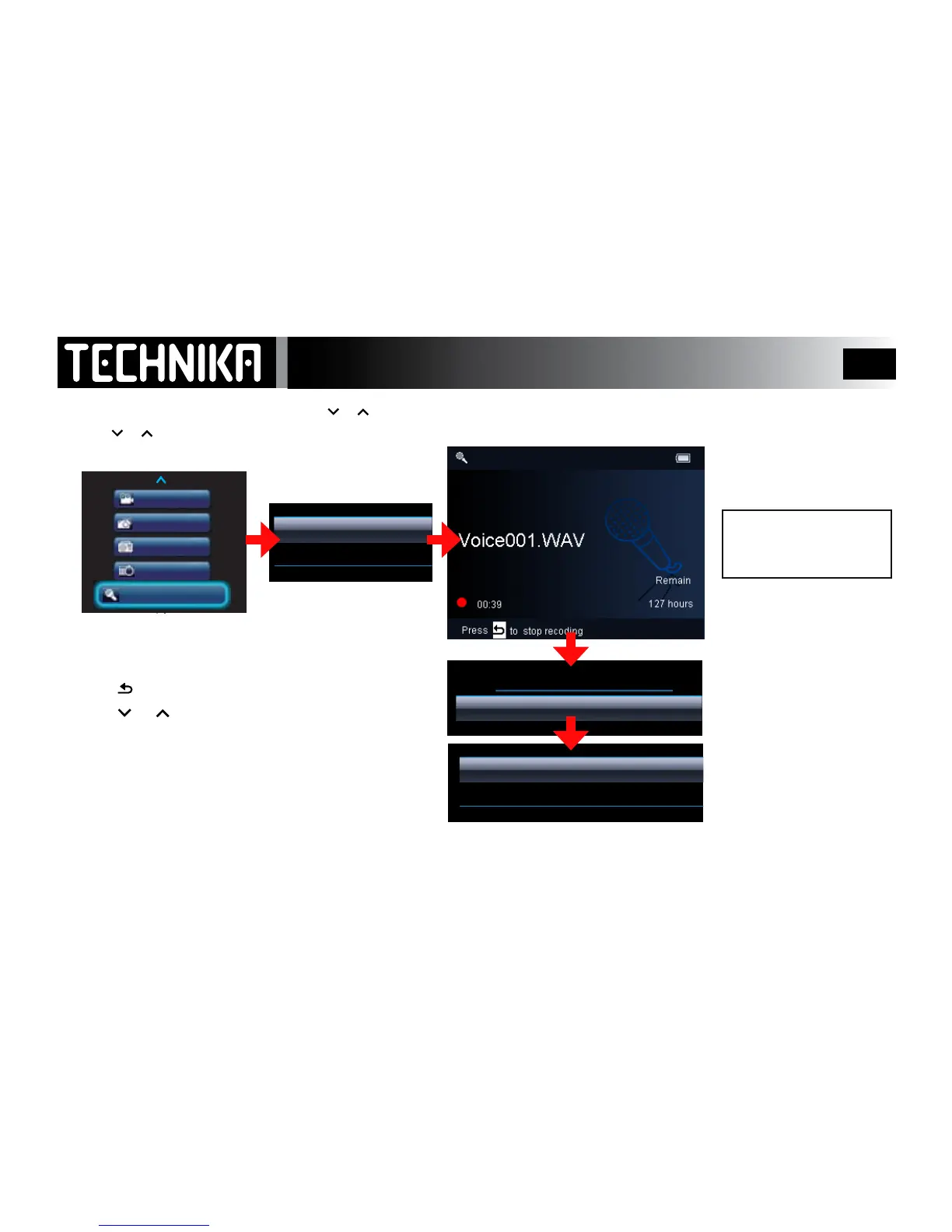
To save a recording:
• Press .
The “Save Recordings” menu will deploy:
• Press
or toselect“Yes/No”.
• Press
►/ I I
If you select “Yes”: Therecordingwillbesavedin
Recordings Library/Voice Recordings
If you select “No” :therecordingwillbedeleted.
Theplayerwillnowreverttothepreviousmenu.
Repeattheproceduretostartanotherrecording.
To replay your Voice recordings: RefertoPage32.
Switch the player on.
• Press
or to select “Recordings”
• Press
►/ I I
• Press or to select
“Start Voice Recording”
• Press
►/ I I
During Recording:
Press >II to pause and resume
Point the microphone
at the sound source!



 To Next Page