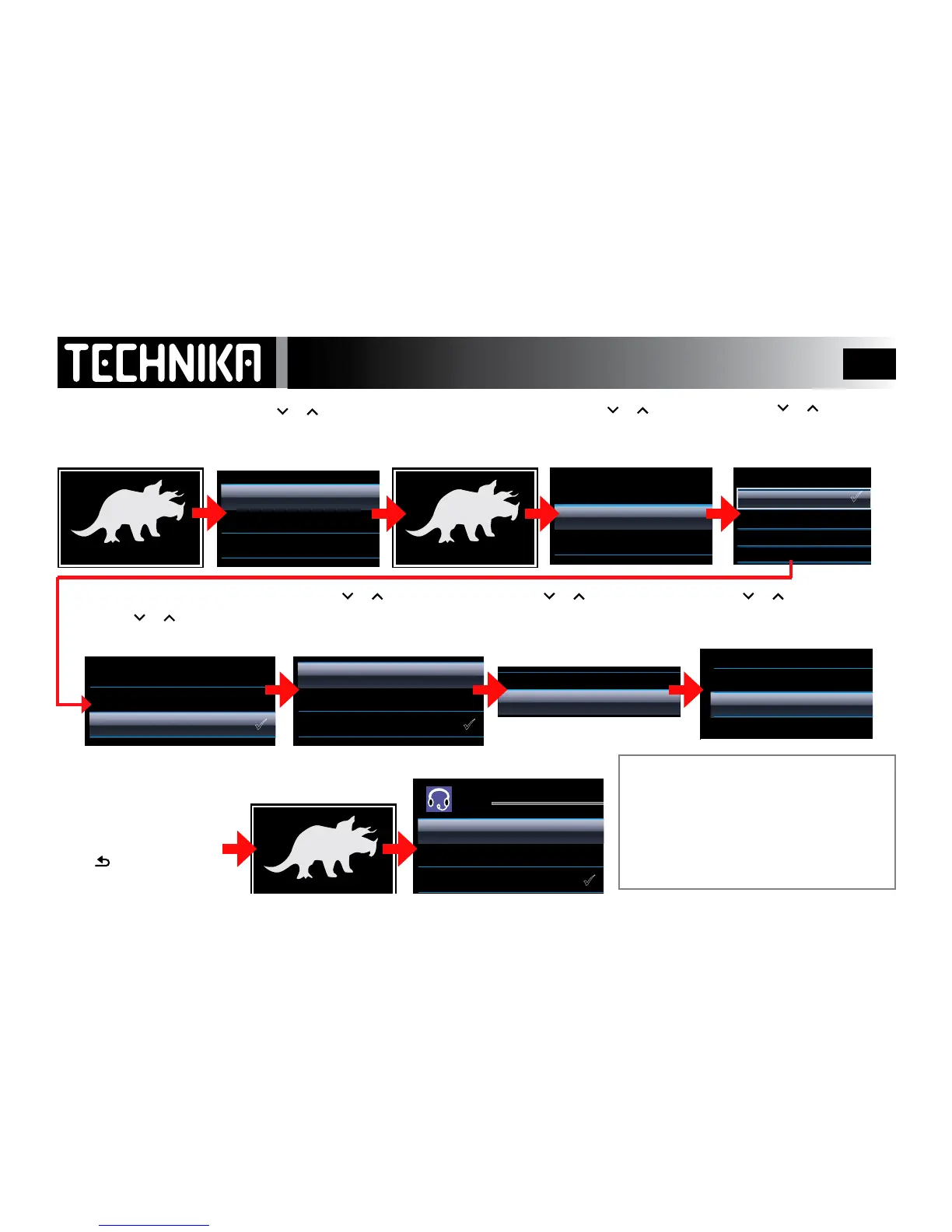
From Picture View
• Press MENU
• Press
or to select
“Start Slideshow”
• Press
►/ I I
to conrm.
The slideshow starts
During a Slideshow
• Press MENU
During a Slideshow
• Press MENU
The selected music will display
• Press
or to select a
parameter (“Time per slide”)
• Press
►/ I I
to conrm
• Press
or to select a
time (from 2 sec to 20 sec.)
• Press
►/ I I
to conrm
The menu reverts back.
• Press
or to select “Repeat”
• Press
►/ I I
to select or clear
• Press
or to go to
“Sldeshow Music”
• Press
►/ I I
to conrm
• Press
or to select a playlist
• Press
►/ I I
to conrm
• Press
or to select a playlist
• Press
►/ I I
to conrm
The selected music will start.
All the tracks in the playlist
will play in turn.
Press
repeatedlyto
returntotheslideshow.
Note: Whenever there is music playing
you can view pictures.
You cannot alter the volume or change
tracks. To do this you must leave picture
mode, enter music mode , make your
changes and then re-enter picture mode.
Viewing Photos -Slideshow Mode



 To Next Page