29
Preset Mode and Auto Search
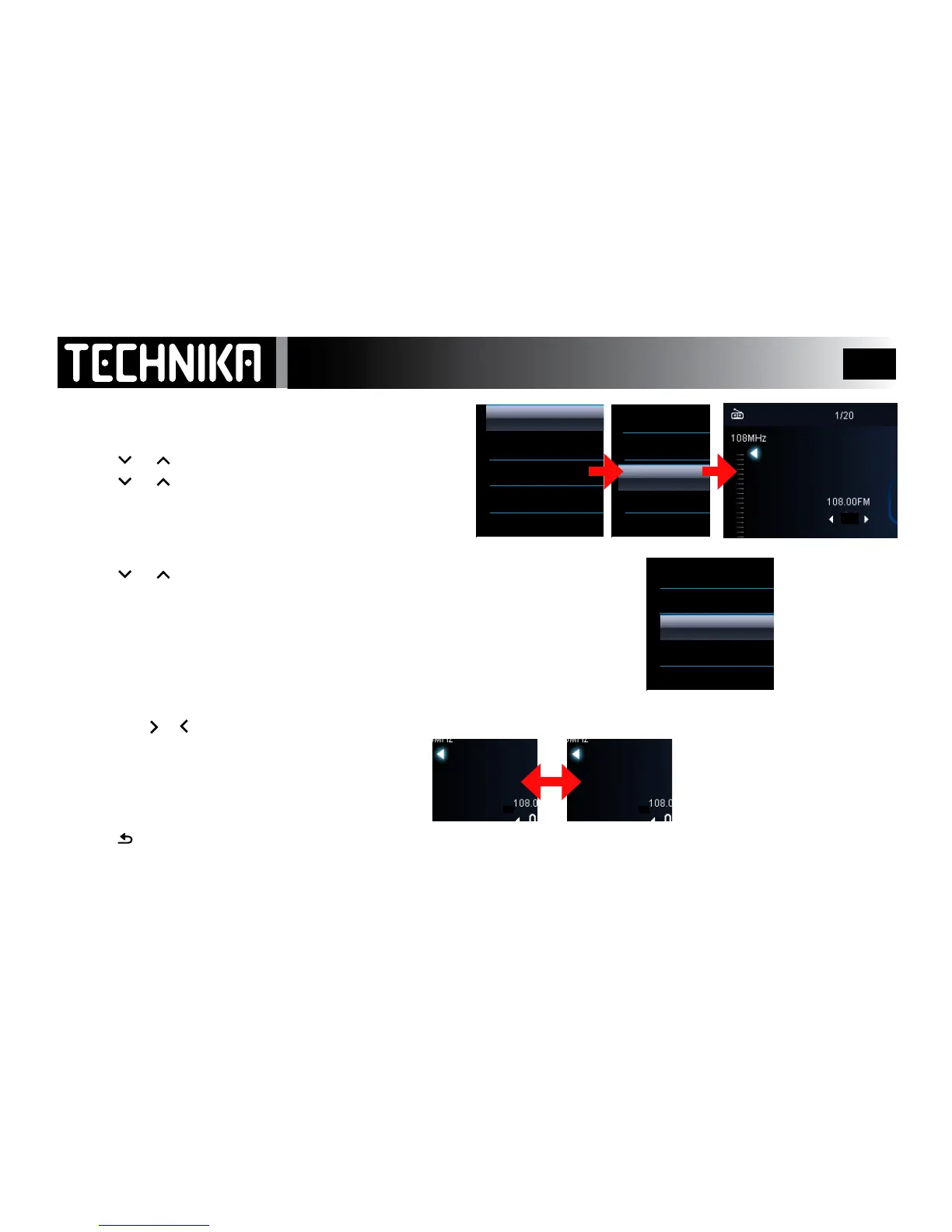
RECALLING A PRESET STATION
• Tuneinthewantedstation;pressMENU
• Press
or toselect“selectradiopreset”.Press
►/ I I
• Press or toselectapresetno.Press
►/ I I
The station will now play
AUTO TUNE
• Fromthemainstationdisplay;pressMENU
• Press
or toselect“Autotune”.Press
►/ I I
TheradioscanstheFMbandfromlowtohigh.Everyusablestationwillbeentered
intoapreset(uptoamaximumof30stations).
Thetunerwilllthenplaythersttunedstation.ANYPRESETSWILLBEOVERWRITTEN
• ThescreenwilldisplaytheStationFrequencyandgotoPRESETMODE
PRESET MODE
In preset mode you do not need to tune the tuner manually:
• Preset
the or key
totunetheradiobypresetnumber.
To switch between manual mode and preset mode:
• Pressandbrieyholdtheholdthe
►/ I I
key.
Whenyoureleasethekeythemodewillchange
After Use
• Press
asneededtoreturntothemainmenu.



 To Next Page