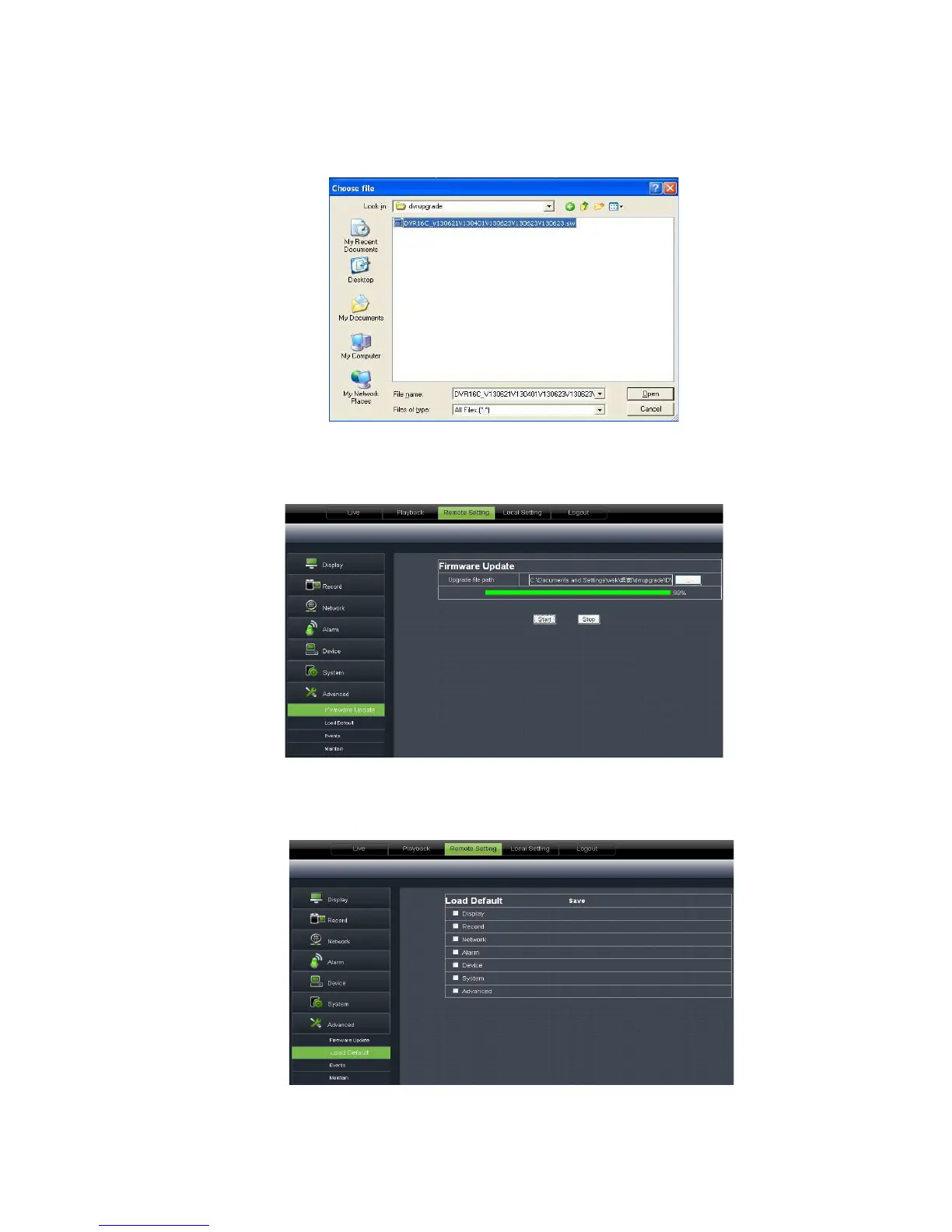
Please follow below steps to upgrade the system:
Click <Start update>, now processing bar will display current upgrade
Picture 6-35.
2、 Load Default:
allow you recover defaulted parameters of DVR remotely shown as Picture
etails setting should be consistent with DVR local setting.
Please follow below steps to upgrade the system:
’s path shown as Picture 6-34. P
lease note that the format of
Click <Start update>, now processing bar will display current upgrade
allow you recover defaulted parameters of DVR remotely shown as Picture
etails setting should be consistent with DVR local setting.
lease note that the format of
Click <Start update>, now processing bar will display current upgrade
allow you recover defaulted parameters of DVR remotely shown as Picture



 To Next Page