TP8-96 VIDEO - Installer Manual Hardware configuration
7-3
LIMITS OF THE SYSTEM
The program automatically controls the system's
hardware limits, i.e. the maximum number of devices
which can be connected to the control panel (zone
expansions, consoles, wireless devices, etc.).
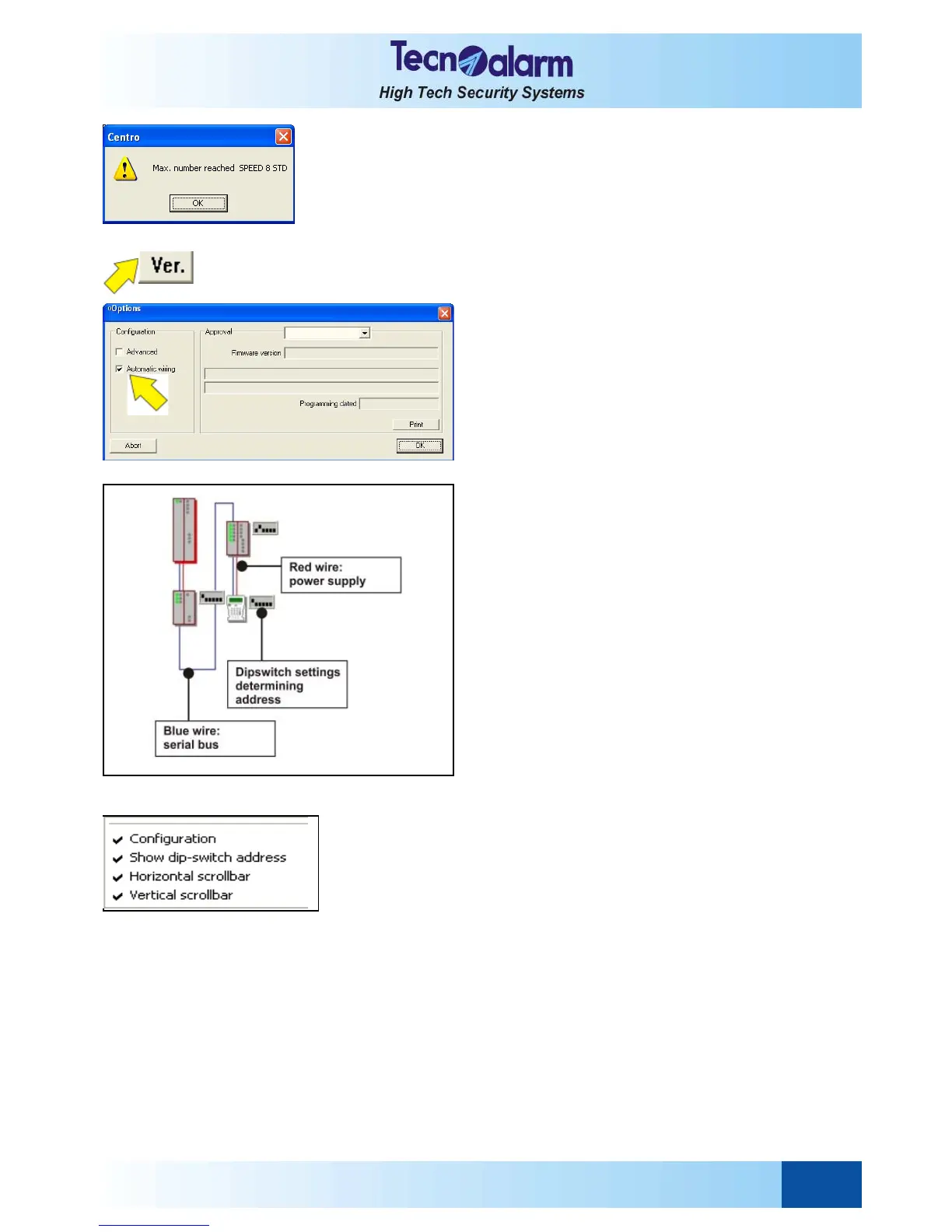
When a group of devices has reached the system's
limits (ex. SPEED 8 STD), on the screen is viewed the
opposite image and the addition is not possible.
Click OK to close the window.
GRAPHICAL REPRESENTATION OF THE SYSTEM
Connection and power supply
Even if hardware configuration is possible without
automatic wiring, the Automatic wiring option must be
enabled (checked). In this case, connections and power
supply are automatically designed.
Click on the beside icon, on the screen is viewed the
successive image.
Commands available
z OK to confirm and continue hardware
configuration
z Abandon to abandon hardware configuration
The beside schema is the graphical representation of
the system.
Connection
The connections are represented in an unifilar mode.
The red lines represent power supply and the blue ones
are the RS485 serial line.
Siren bus
This schema represents only the RS485 serial line,
therefore, to simplify the graphic, the siren bus are
connected to RS485 serial line too.
But on the real wiring, the siren bus must be connected
only to the Siren bus.
Wireless devices
All the wireless devices, excepted the receiver modules,
are represent without any type of connections to the
serial line.
OPTIONS OF VIEWING
The screen is delimited by the menu bar in the upper
part and by the scrollbar in the lower part.
With a left click of the mouse, everywhere on the
worktop, the window of the viewing options appears
(beside image).
Options available
z Configuration
Permits viewing of the selection keys of the
programming menus (upper and lateral bar).
z Show dip-switch address
Permits viewing of the dip having serial address of
the viewed devices on the worktop.
z Horizontal scrollbar
Permits to visualize or to hide the horizontal
scrollbar.
z Vertical scrollbar
Permits to visualize or to hide the vertical
scrollbar.
Click on the option to enable or disable it.


 To Next Page