34
Customising DVD Operation
Basic Operation
Program
The program function can be used to play your DVD titles and chapters/CD tracks/files in a
pre-programmed order. A sequence of up to twenty items (2 pages) can be set. An item can
be set more than once. It is not necessary to program all the slots in the sequence.
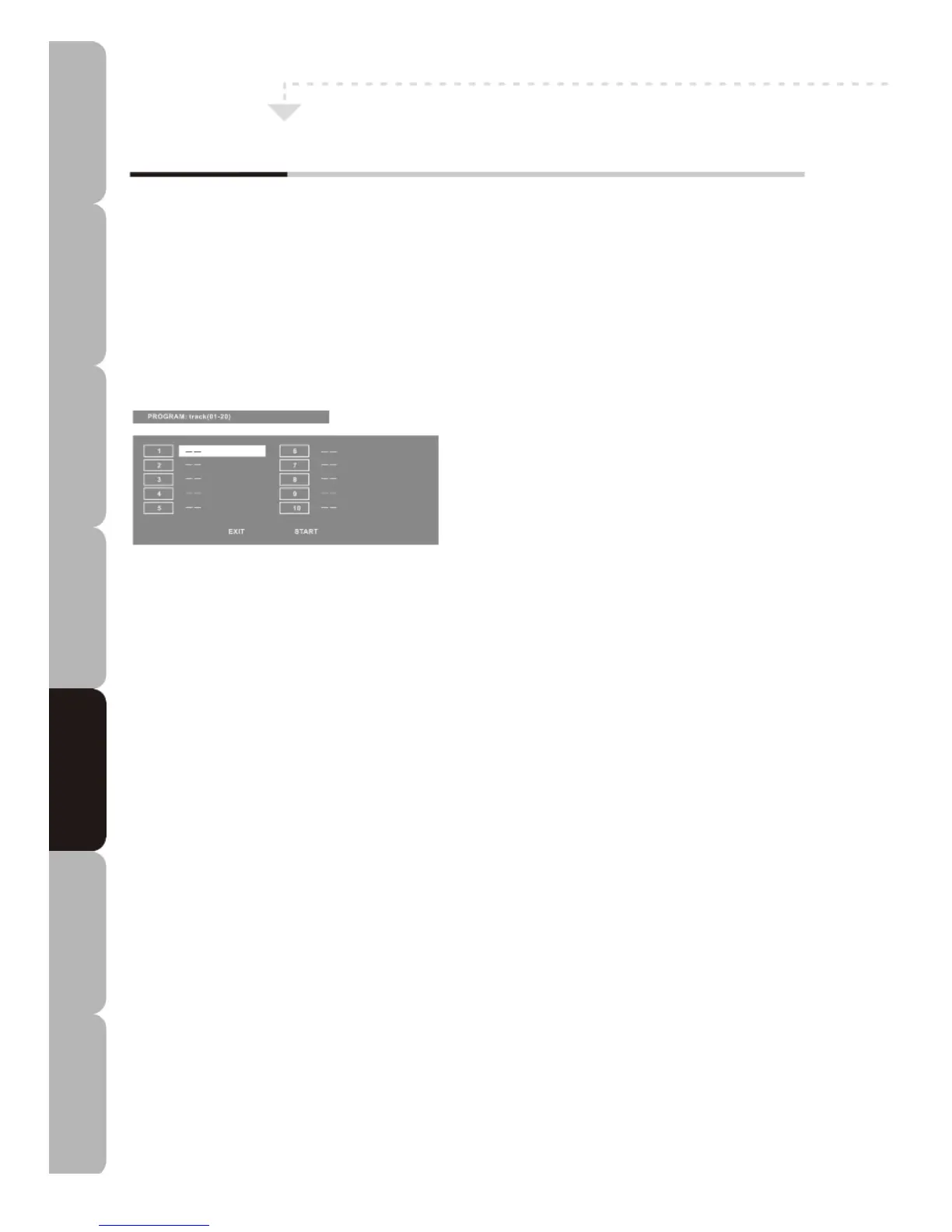
1. Press the PROG button. The Program window appears as shown below.
CD type discs
2. Press the Navigation buttons to select a program number.
3. Press the Numeric buttons to enter the title/chapter/track number.
4. Press the DOWN button to select the second item number.
5. Repeat the previous steps to enter the next item.
6. Repeat for as many program numbers as required. If necessary, select ‘NEXT’ to go to
the next page.
7. Once you have programmed all the items use the Navigation buttons to select START.
Press the OK button. Your programmed selection will begin.
8. To cancel the program press the PROG button and select ‘STOP’ using the Navigation
buttons. Press the OK button or press the STOP button to end the program. When the
PLAY/PAUSE button is pressed again, the disc will play in sequence.
Specifications Troubleshooting Using DVD Using TV Installing Introducing Safety Warnings
Features Features LED TV LED TV



 To Next Page