Using the phone 29
Using the phone
If you need some help, call us on 13 2200 or go to https://go.telstra.com.au/helpandsupport/home-phone/
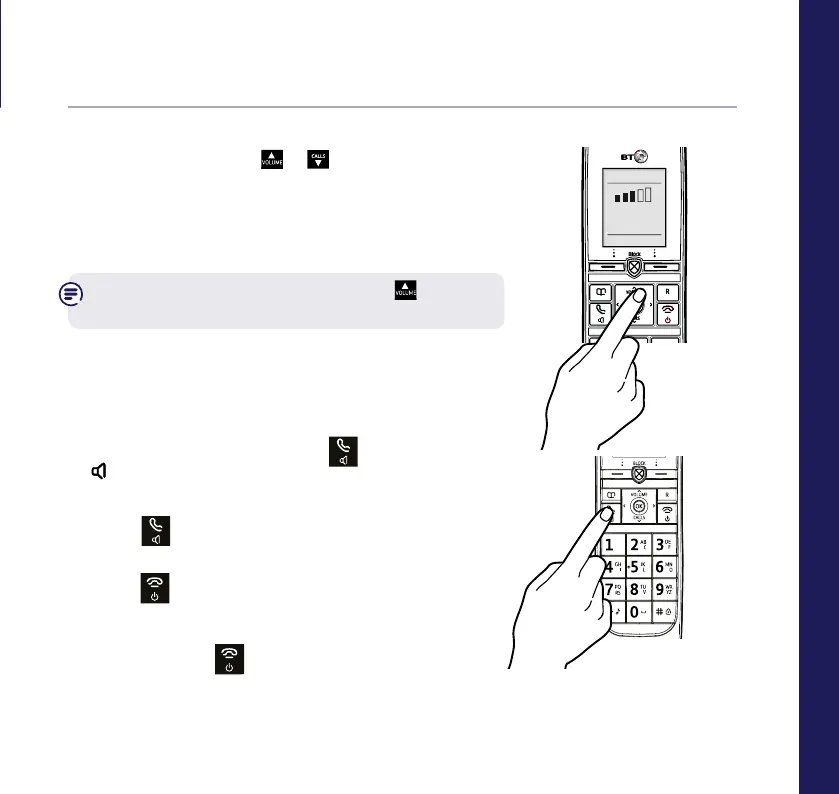
Incoming speech / Handsfree volume
1. When on a call press
or
CALLS
to increase or
decrease the volume.
Subsequent presses will change the volume,
you will hear the volume level with each press.
From the home screen, you can press
to
change the Ringer volume settings too.
Make a handsfree call
1. Enter the number then press
twice.
is displayed. You hear your call over the
handset loudspeaker.
2. Press
to switch the call between the
earpiece and the loudspeaker.
3. Press
to end the call.
To switch the handset off/on
1. Press and hold
until the handset turns off or
on.



 To Next Page