Caller Display and the Calls list
If you need some help, call us on 13 2200 or go to https://go.telstra.com.au/helpandsupport/home-phone/
38
Missed call notication
If an incoming call has been missed (i.e. not answered), the missed call icon will
be displayed on the home screen with the number of missed calls displayed
underneath it e.g. . You can clear the notication by viewing the calls list on any
handset registered to the base. The icon will still be presented for missed
calls in the calls list so you can differentiate between calls. See Calls list
indicators.
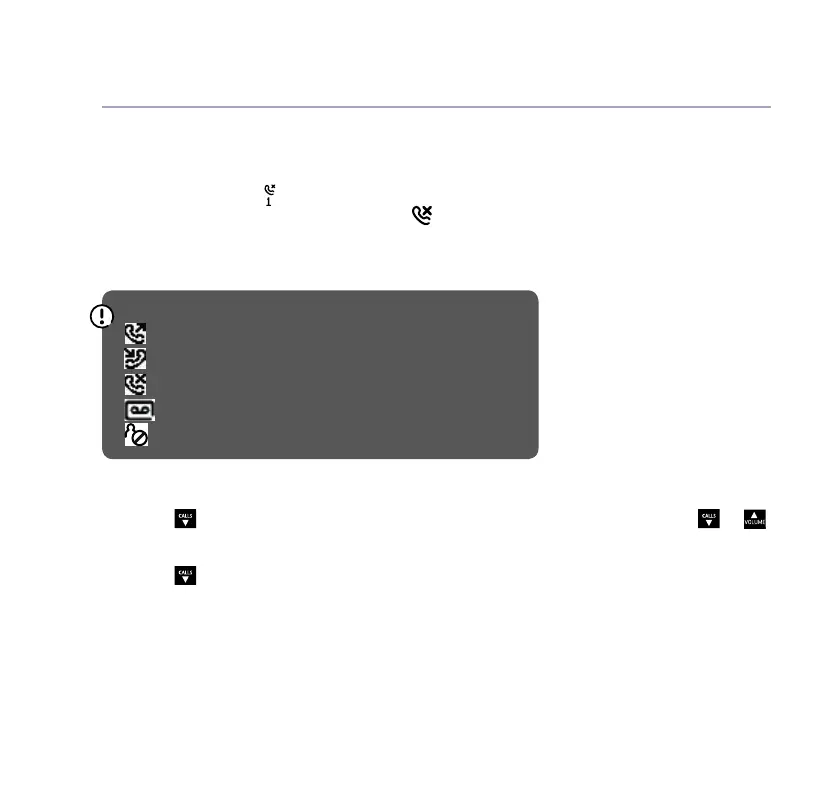
Calls list indicators
= outgoing call made
= incoming call received
= missed call
= caller left a voice message
= blocked call
Delete an entry in the Calls list, or the whole list
1. Press
CALLS
or select Calls, then if you want to delete just one entry, press
CALLS
or
to highlight the entry and select Options.
2. Press
CALLS
to either Delete call or Delete all and press Select. Call deleted will
be displayed if you have deleted one entry, if you chose to delete all then you will
need to conrm by selecting Yes.



 To Next Page