Quick set-up guide8
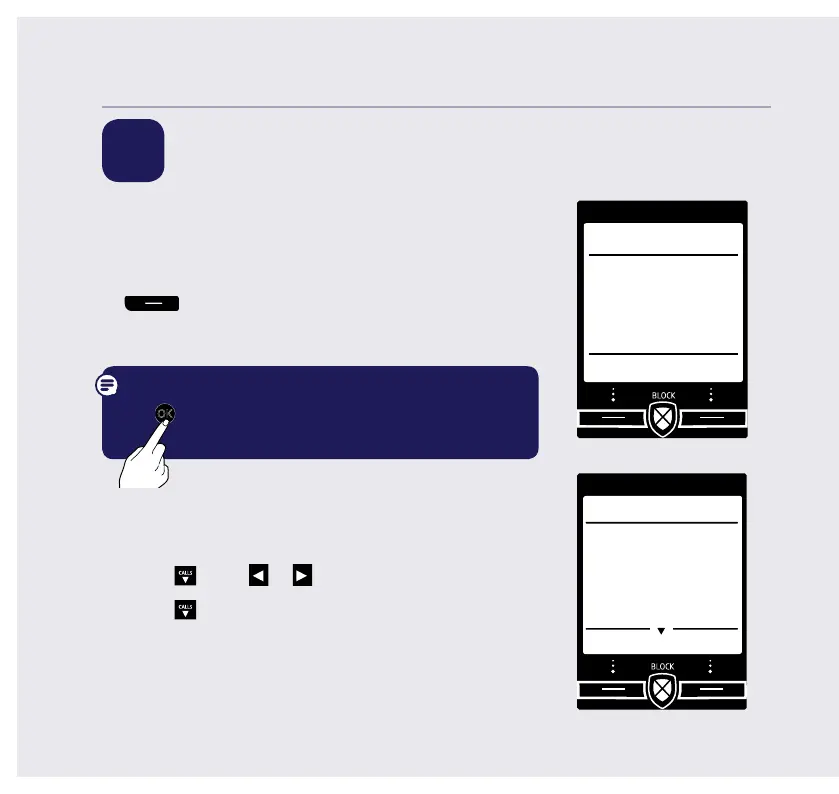
5 Follow the set up wizard
Set the time and date
1. Select OK by pressing the Left option button
under the screen. The set up wizard will
begin. Follow the prompts to complete the set
up process.
Tip: when prompted to select OK you can press
the
OK
button in the centre of the keypad if you
prefer.
2. Use the keypad to enter the time using the 12 hour
clockformat e.g. for 3:32 pm you need to enter
03:32.
3. Press
CALLS
press
or
to select AM or PM.
4. Press
CALLS
enter the date in the format
DD/MM/YYYY.
5. Press Save. Saved is displayed.
If you need some help, call us on 13 2200 or go to https://go.telstra.com.au/helpandsupport/home-phone/
Set up
OK
Please set the
time and date
to start using
your telephone
Time
HH:MM
AM/PM
PM
Set up
Save Back



 To Next Page