If you need some help, call us on 13 2200 or go to https://go.telstra.com.au/helpandsupport/home-phone/
Quick set-up guide 11
Add contacts
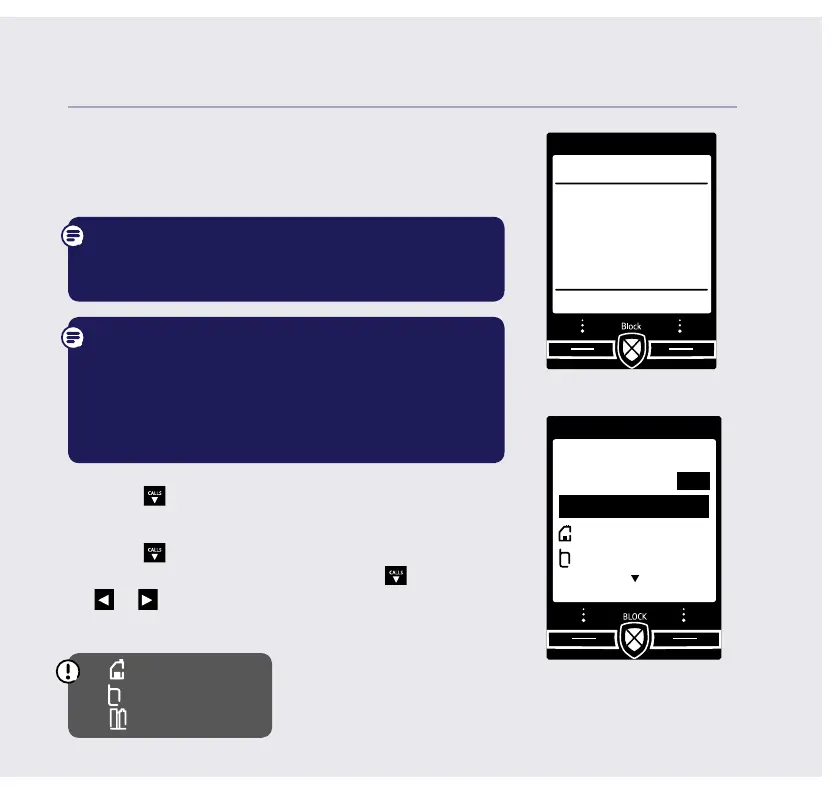
18. If you want to add some contact numbers now,
select Yes (or select No to continue to next
step).
By adding contacts, you will always know that
their calls will get straight through to you, without
the need to go through Call Guardian.
Please make sure you always add the full
telephone number when you save a contact. If you
have important numbers that will always need to
get through e.g (Doctors, Carer Line numbers etc.),
make sure you’ve added them to your Contacts or
Allow numbers list.
19. Enter the contact name using the keypad and
press
CALLS
.
20. Enter the home phone number. You can then
press
CALLS
and enter a mobile number and then
a work number if you want to. Press
CALLS
then
or
to select a ringtone.
21. Select Save when you’ve nished.
Home
Mobile
Work
If you need some help, call us on 13 2200 or go to https://go.telstra.com.au/helpandsupport/home-phone/
Set up
Do you want to
add contacts
now, so their calls
are allowed?
Yes No
Add contact
Name
Home
Mobile
Save Back
I
Abc



 To Next Page