18
Scenario 2: Connect a laptop or a desktop computer installed with a wireless adapter to a
hidden WiFi network (Example: Windows 7 OS)
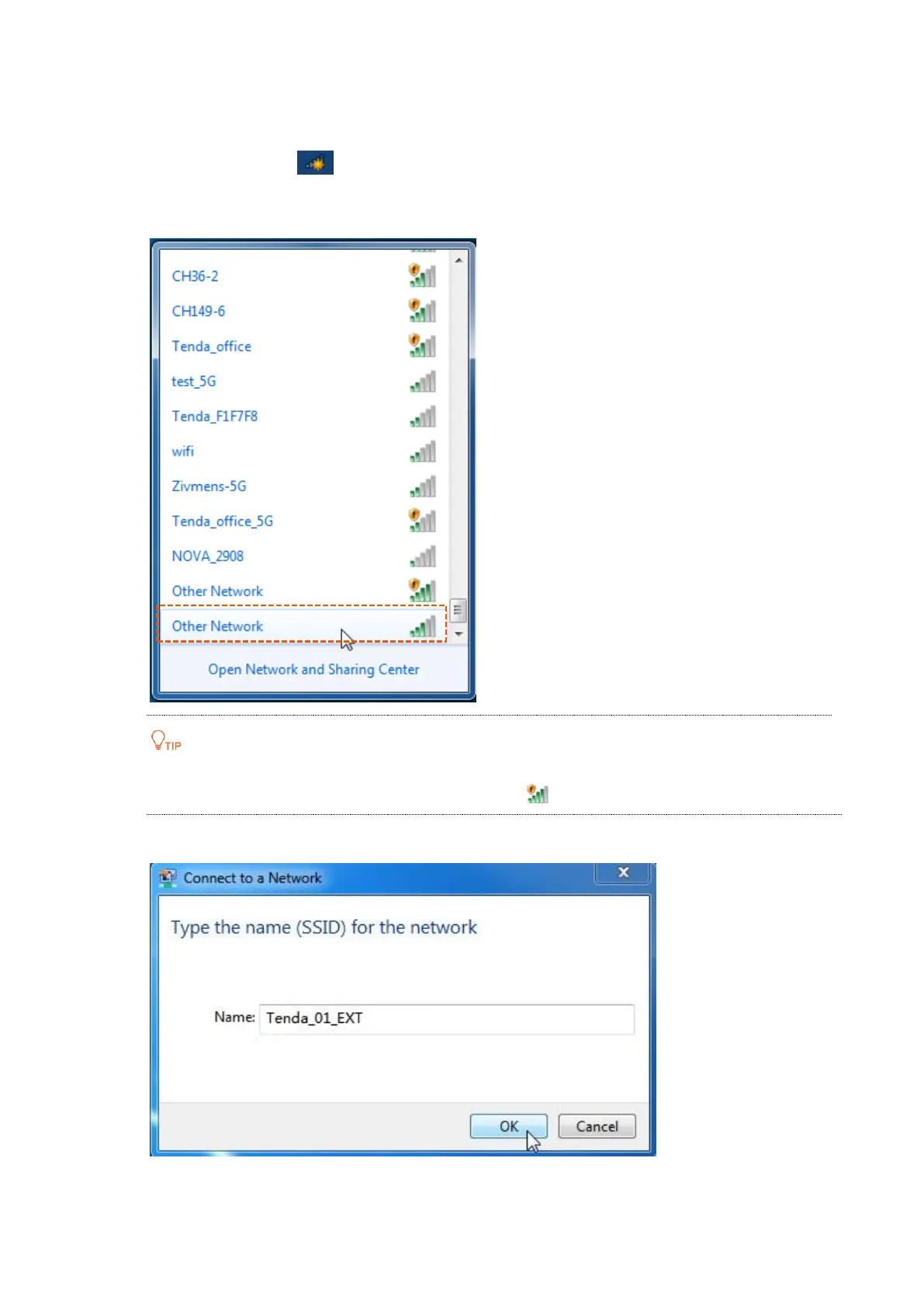
Step 1 Click the WiFi icon on the lower right corner.
Step 2 Scroll down to the bottom of the SSID list, and click Other Network.
There are two Other Networks. The one indicated with is an open network.
Step 3 Enter the SSID of extender, which is Tenda_01_EXT in this example, and click OK.


 To Next Page
 Loading...