When Operator Alarms are set, the light in the push button (item 24) will be illuminated.
Return to the main screen by pressing the OPERATOR ALARM push button (24).
SWING ALARMS
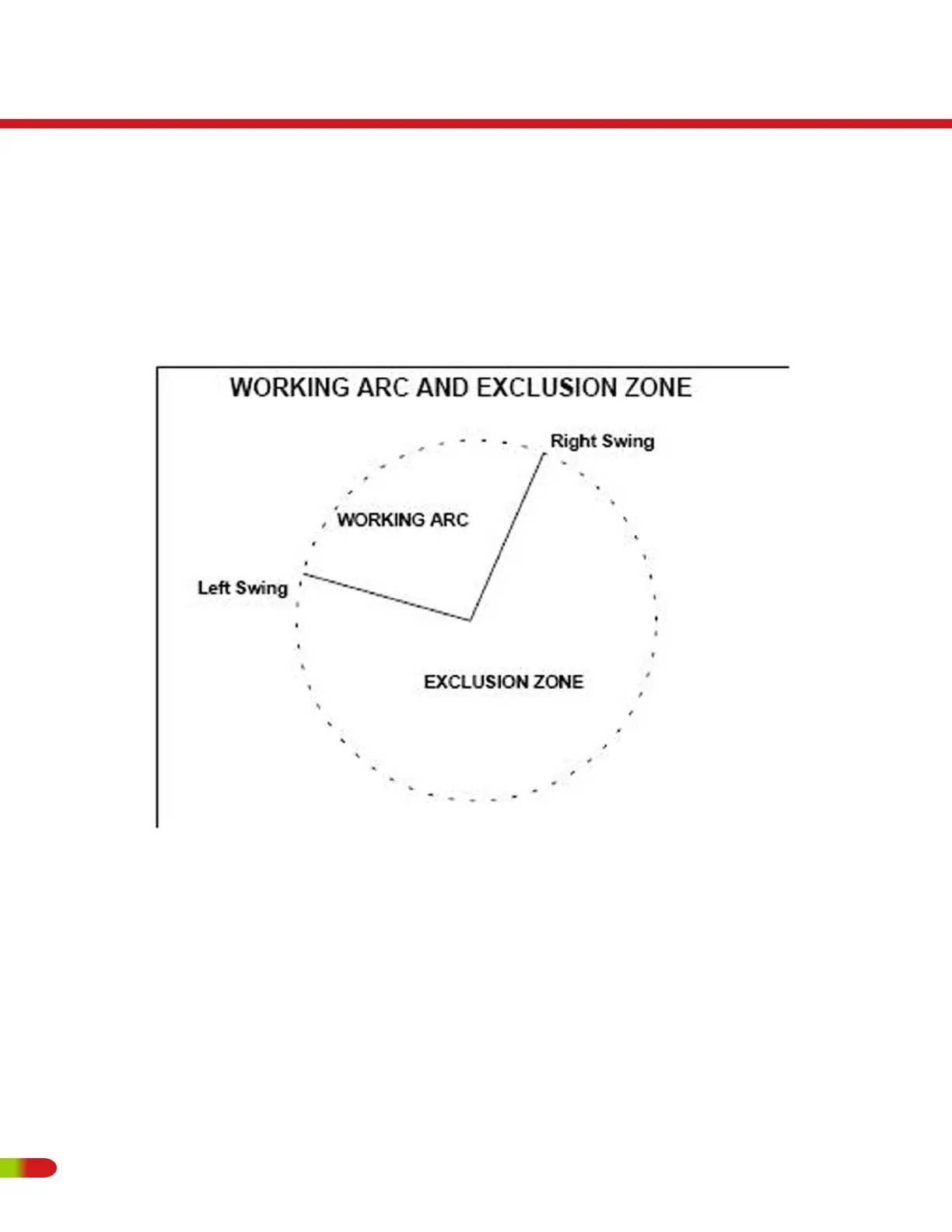
These alarms, when set, permit the operator to define a Working Arc and an Exclusion
Zone by two set points. The following diagram illustrates the Working Arc and Exclusion Zone.
A left swing alarm is activated when swinging to the left.
A right swing alarm is activated when swinging to the right
In this example, the working arc is the smaller piece of the pie.
RT500
Operating Instructions
98 REVISED:


 To Next Page