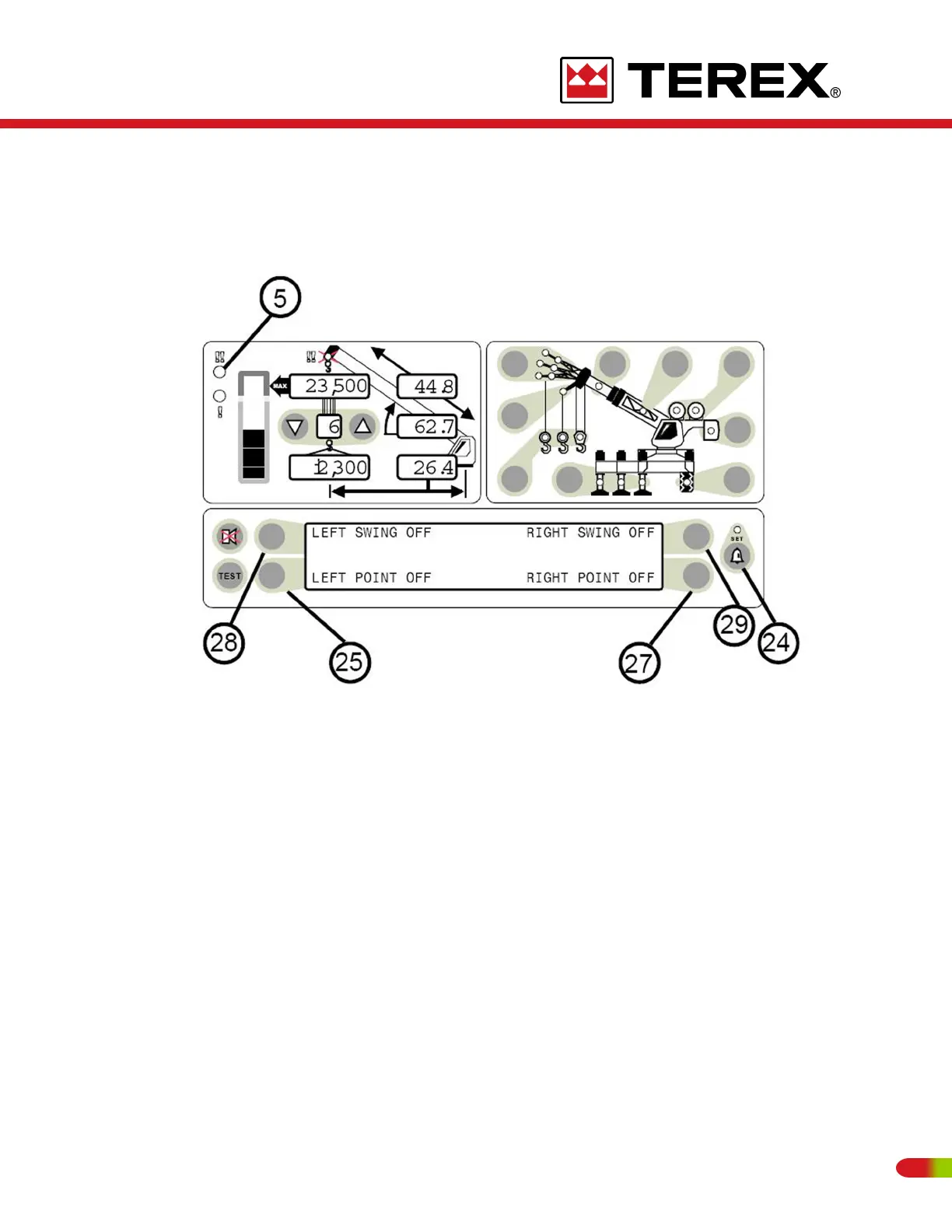
ACCESSING SWING AND WORK AREA ALARMS
To access the SWING AND WORK AREA ALARMS from the main working screen, press
the OPERATOR ALARM push button (item 24) 2 times.
The Information Screen will show the current status of the Swing and Work Area Alarms.
There are 4 separate operator alarms, all controlled by push buttons (items 25, 27, 28, and
29). Each one of these push buttons relates to the alarm to which it points.
Each push button operates as a toggle switch. If the alarm to be set is OFF, pressing the
push button will turn the alarm ON. If the alarm to be set is ON pressing the push button
will turn the alarm OFF.
97
REVISED:


 To Next Page