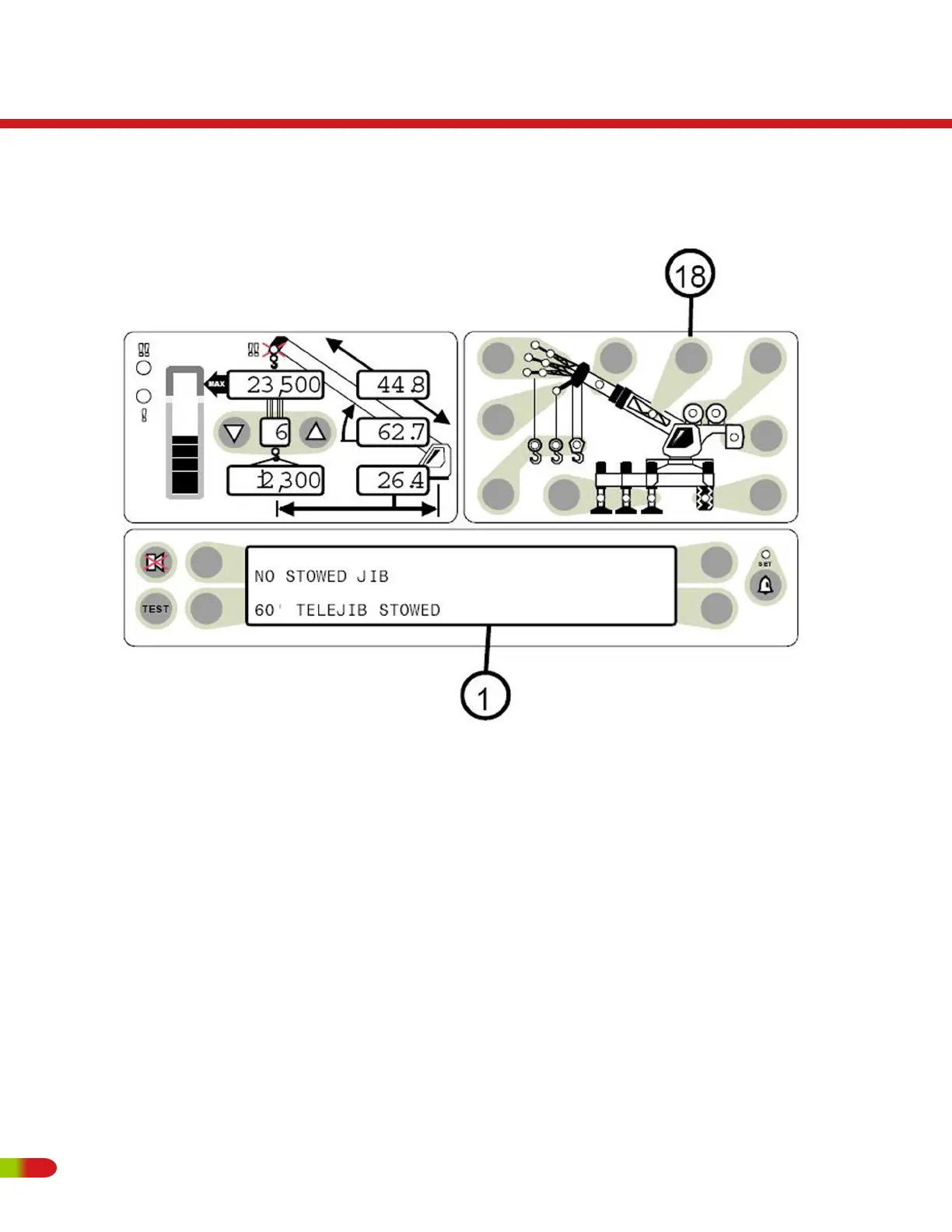
STOWED JIBS
IF THE STOWED JIB PUSH BUTTON IS PRESSED ON A CRANE THAT DOES NOT HAVE
JIB OPTIONS, THE MESSAGE “NO OTHER STOWED OPTIONS” WILL APPEAR IN THE
INFORMATION DISPLAY. REFER TO YOUR CRANE RATING MANUAL FOR DETAILS OF
THE OPTIONS ON YOUR CRANE.
• On cranes that have more than one jib option (fixed, offset, or telejib etc.), the operator
must select the jib to be used.
• Start the choice by pressing the stowed jib push button (item 18).
• The available stowed jib options will be displayed in the information screen (1). There
can be four options displayed at a time, one next to each selection key.
RT500
Operating Instructions
82 REVISED:


 To Next Page