SETTING THE PARTS-OF-LINE
Always check and select parts-of-line following selection of the winch and point of lift.
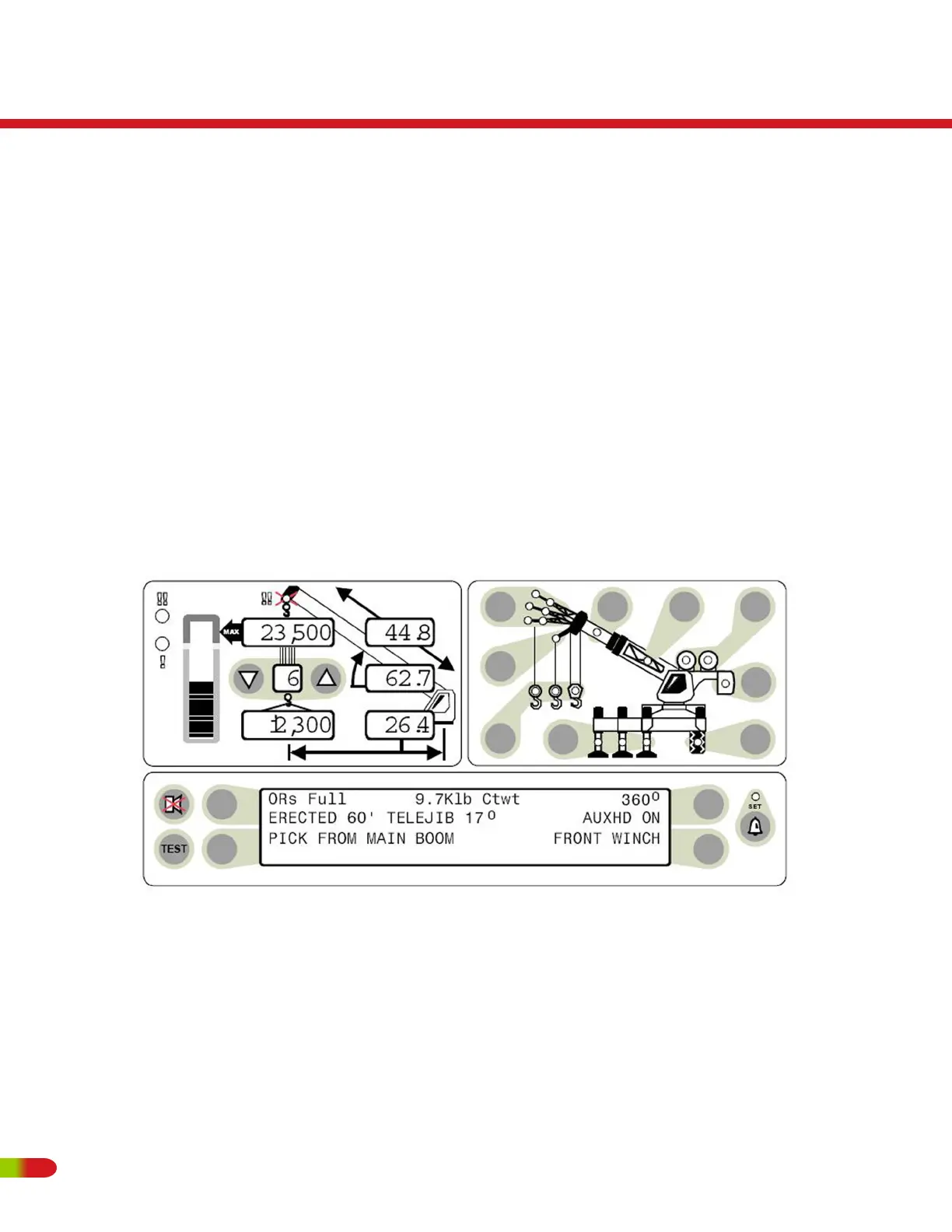
• Set the PARTS-OF-LINE for the currently selected winch by pressing the UP or DOWN
arrow, as appropriate. (item 13).
• The number of parts-of-line will appear in the parts-of-line display (item 13).
• When another winch is selected, it may be necessary to reset the parts-of-line for the
other winch.
• When the number of parts in the parts-ofline on the crane is changed, it will be
necessary to reset the parts-of-line on the display.
RT500
Operating Instructions
88 REVISED:


 To Next Page