2.4 Controls
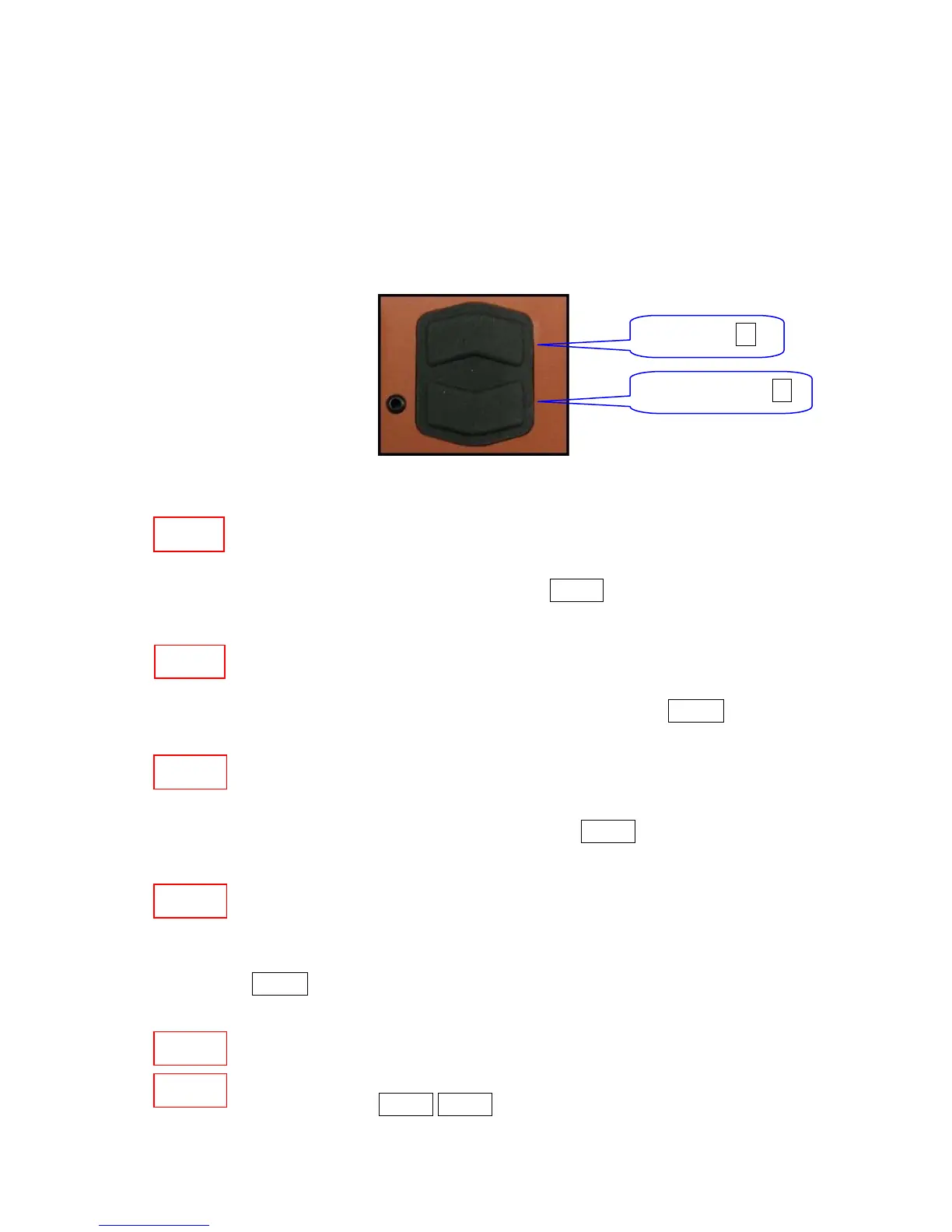
To control the KT-10 v2, there is one button with associated UP/DOWN functions. There
are five different options to use this button and they are as follows:
UP Button ▲
DOWN Button ▼
Figure 2: Control Button
Short Button Press UP – is a single short push of the button, pointing to
screen, in its upper half. This symbol will be used throughout this
document to represent this button press SBP▲
Long Button Press UP – hold the button in its upper half for more than one
second or until a reaction appears on display. This symbol will be used
throughout this document to represent this button press LBP▲
Short Button Press DOWN – is a single short push on the button, pointing
away from screen, in its lower half. This symbol will be used throughout
this document to represent this button press SBP▼
Long Button Press DOWN – hold the button in its lower half for more
than one second or until a reaction appears on the display. This symbol
will be used through out this document to represent this button press
LBP▼
Both buttons pressed together will turn the unit off at any time during
operation. This symbol will be used throughout this document to represent
this button press SBP▼ SBP▲
SBP▲
SBP▼
LBP▼
SBP▼
LBP▲
SBP▲
14


 To Next Page