3.4.3 Measurement Sub Menu
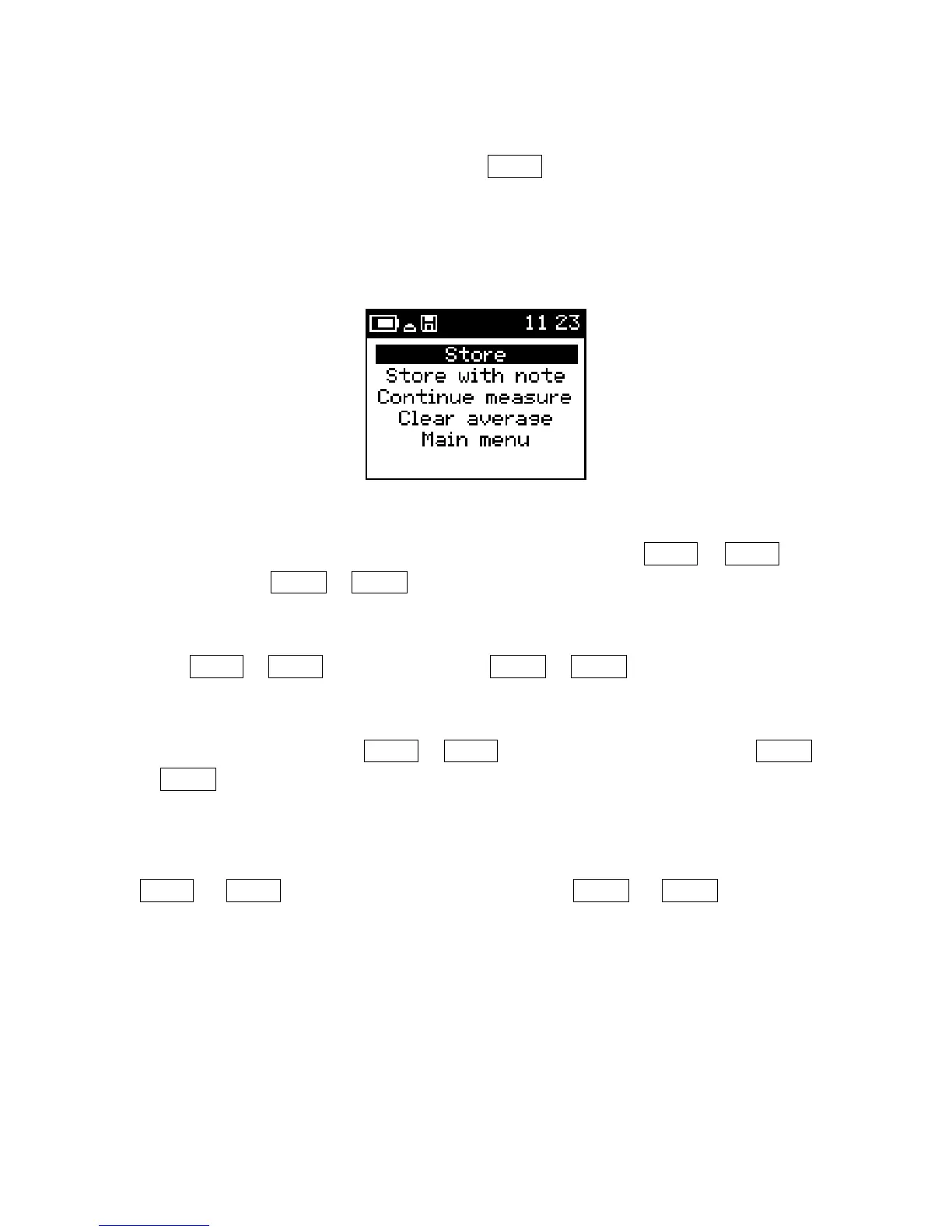
The measurement menu can be accessed with SBP▼ only when the results are displayed
on the screen (shown in Figure 25). This menu allows for storing of the reading, storing
of the reading with a voice record, returning to the measure routine, disabling the GPS
positions when GPS is enabled, clearing of the average buffer or returning to the main
menu.
Figure 25: Measure Menu
To store the reading, navigate to the Store option with the use of SBP▼ or SBP▲ and
select it by using LBP▼ or LBP▲ when it is highlighted.
To store the reading with a voice record, navigate to the Store with note option with the
use of SBP▼ or SBP▲ and select it by using LBP▼ or LBP▲ when it is highlighted.
Selecting Continue measure will return the display to the results page. This is
accomplished with the use of SBP▼ or SBP▲ to highlight the selection and use LBP▼
or LBP▲ to select it.
Disable GPS will remove the GPS positions from the data set. However, the meter will
remain paired to the Bluetooth GPS. Highlight this option by moving the cursor with
SBP▼ or SBP▲ and once highlighted select it with LBP▼ or LBP▲. When you
return to the measurement menu after you Disable GPS, the menu will show Enable
GPS. Selecting Enable GPS will enable the GPS positions in the data again.
Clear average is selected to clear the averaging buffer. Each reading that has been saved
is used to calculate the average and standard deviation of the stored readings. The
averaged values and standard deviations are stored along with the readings for later
retrieval. Clearing the average will enable the user to select which set of readings will be
averaged together.
29


 To Next Page