3.4 Measure
Selecting Measure from the main menu will initialize the KT-10 v2 for a single
measurement. In this mode, measurements can be obtained with (measurement of a core)
or without geometric corrections to the readings. Measurements without geometric
corrections to the readings are best utilized for quick recognisance of rock samples or
outcrops with no specific geometry.
3.4.1 Take a reading
If Measure has not already been selected, use SBP▼ or SBP▲ to highlight this mode
and select it with the use of LBP▼ or LBP▲.
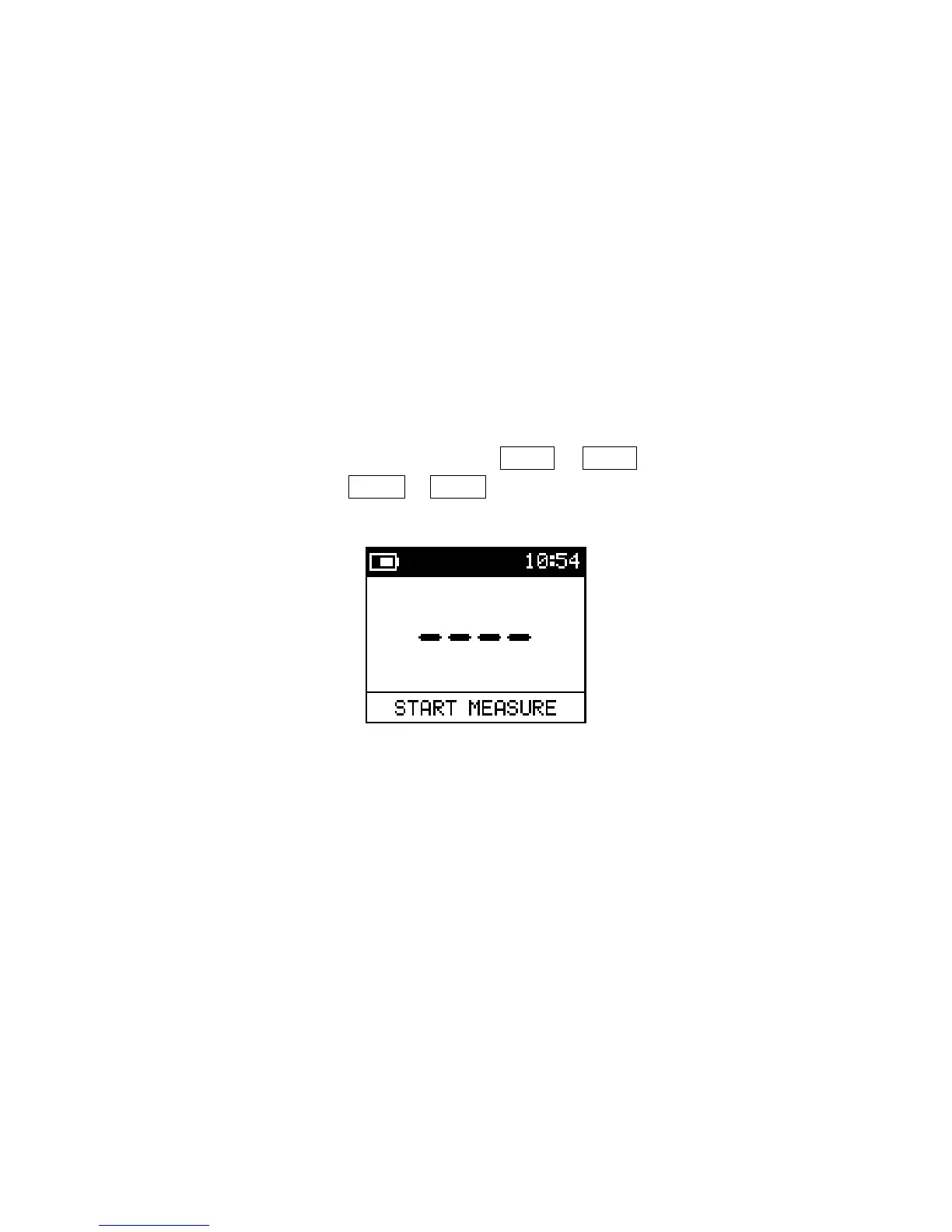
Figure 21: Start Measure
When you enter the measurement mode, the screen above will be displayed and indicate
that the meter is ready to start the measurement process.
There are three steps involved in the measurement sequence: the first step is a free air
measurement; the second is the sample measurement; and the final step is another free air
measurement.
Note: The duration for the measurement sequence is 7 seconds long. Soon after the
measurement is initiated, a new screen with 4 dashes and a progress bar will
appear. It takes 7 seconds for the progress bar to complete. It is important
that you do not wait for the bar to build up in between each of the 3 steps or
else you will be presented with “Error” on the screen.
25


 To Next Page