4.2 KT-10 v2 Console – Geomon (not supplied)
The console program is called Geomon and is available for changing advanced parameter
setting in the KT-10 v2. Some of the advanced parameter setting includes set or enable
KT-10 v2 for re-calibration, read current calibration parameters, download measurement
logs in text format, as well as it is used in advanced troubleshooting of the KT-10 v2.
Caution: Making changes without complete understanding or guidance from Terraplus
Technical Support may result in incorrect operation of the KT-10 v2.
IMPORTANT: The KT-10 v2 console program cannot be executed directly from a
CD-ROM. Please copy the console files(s) to local hard-drive of your
laptop or desktop.
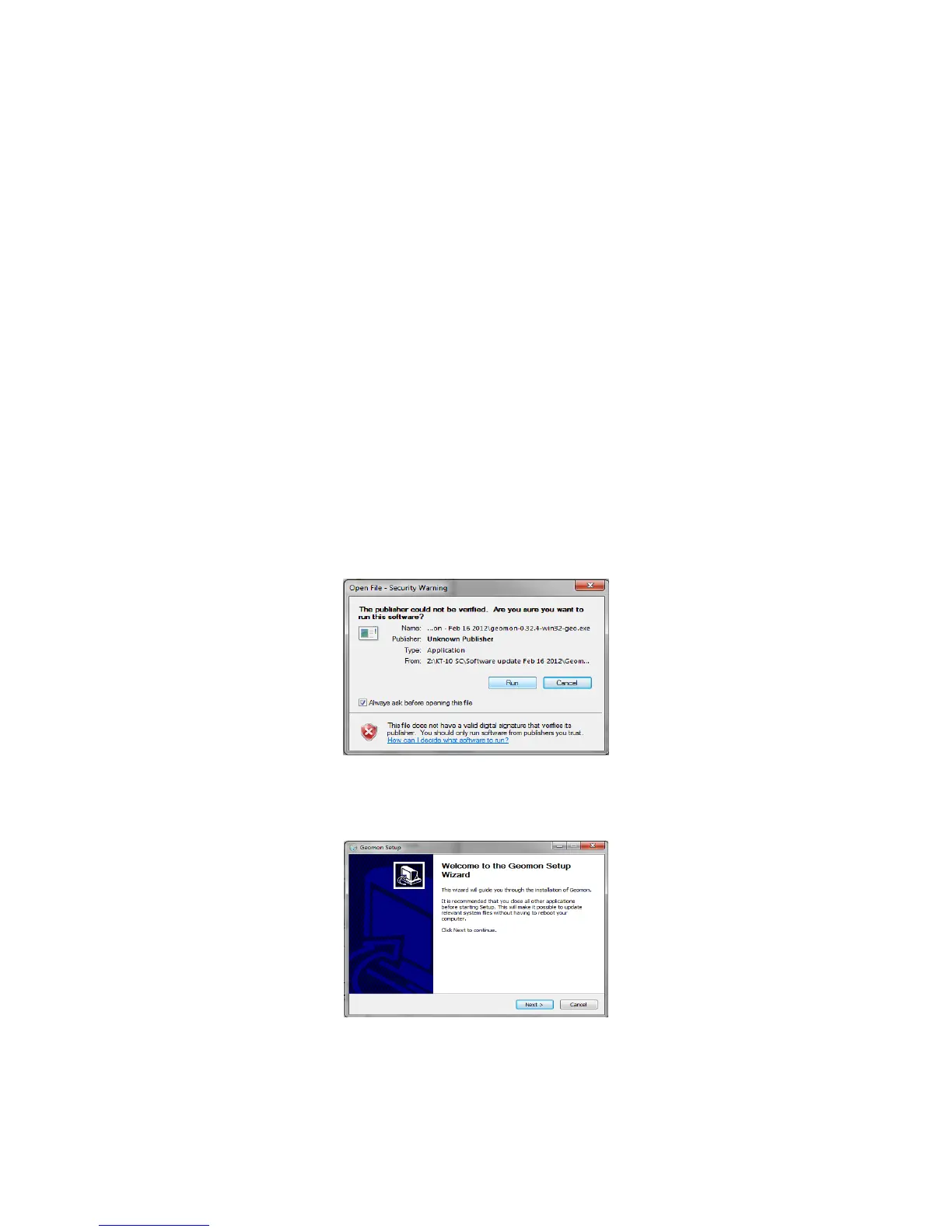
To install the console program run geomon.exe by double clicking on it. When the
installation wizard starts the following security warning screen will be presented as seen
in Figure 92.
Figure 92: Console Installation Wizard
Select, Run to continue…
Figure 93: Geomon Setup
Select, Next > to continue…
81


 To Next Page