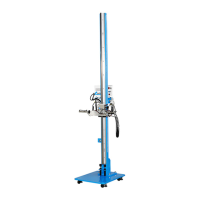
Single Station Vicat Test Apparatus
1.0360
12
3.2 Modes of operation
In the settings mode, various parameters can be set for the display as well as for the Vicat device.
The monitoring mode allows the observation of the course of the measurement, as well as the ON/OFF
switching of the temperature control of the water bath.
Figure 3: modes of operation
Press button to return to the previous display page.
Press button to go directly to the page “TESTING” logo.
Press button to access the settings options.
Press button to activate the monitoring mode.
Figure 4: “TESTING” logo
Click on the upper left corner of the start page to go to the next display page (Figure 3).


 To Next Page