Connecting the GUI to the EVM
www.ti.com
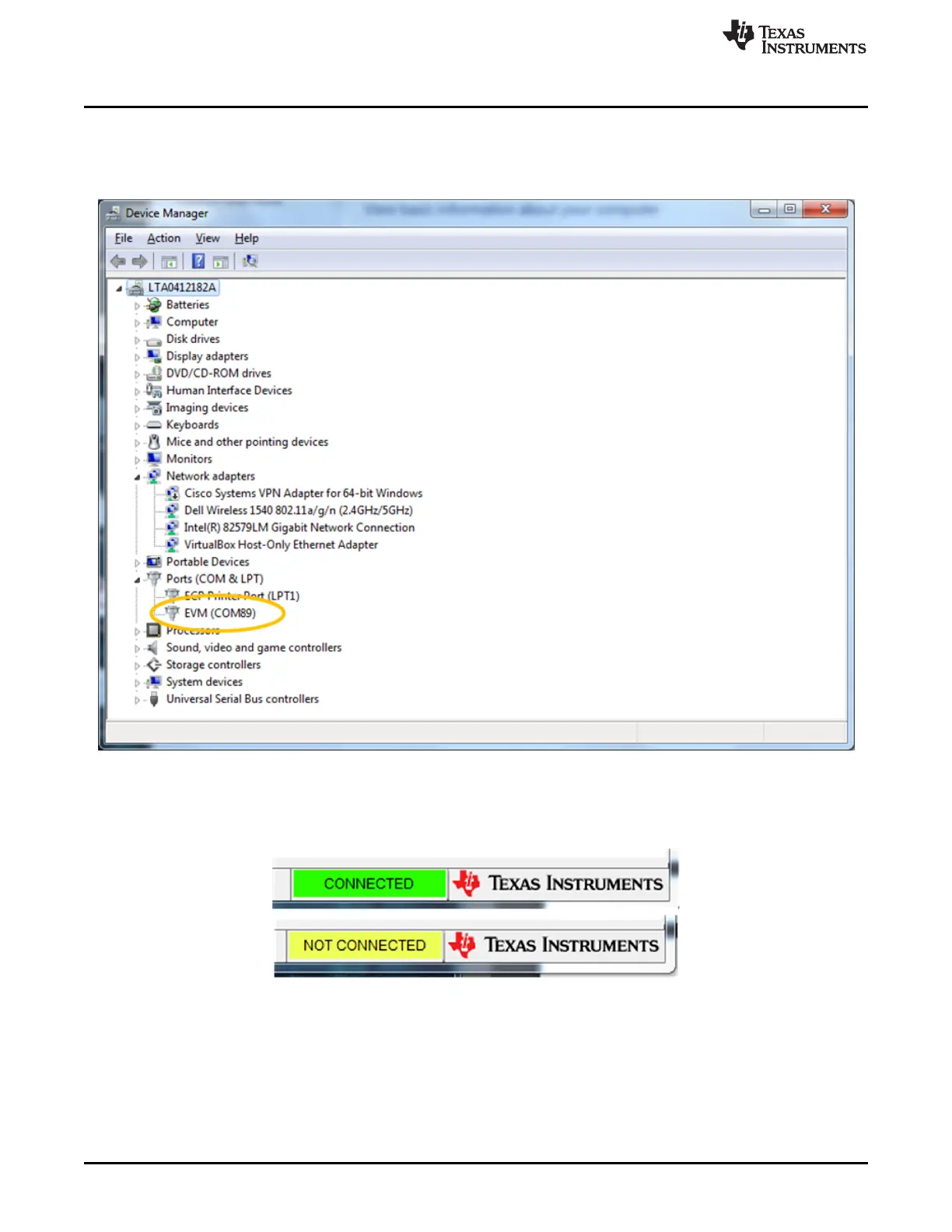
On systems which have a large number of installed COM ports, it may not be obvious which COM port is
assigned to the EVM. To determine the correct COM port, open the Windows Device Manager and find
the COM port named “EVM” under Ports (COM & LPT). In the example below, the LDC1101EVM can be
seen on port 89.
Figure 3-5. EVM COM Port
At the bottom right of the GUI is the connection status indicator – it changes from “NOT CONNECTED” to
“CONNECTED” as appropriate.
Figure 3-6. EVM Connected/Not Connected Indication
When the software starts up, it reads all the registers of the LDC1101.
14
LDC1101EVM PC Software (GUI) SNOU137–May 2015
Submit Documentation Feedback
Copyright © 2015, Texas Instruments Incorporated











 To Next Page