Active/Sleep Mode
www.ti.com
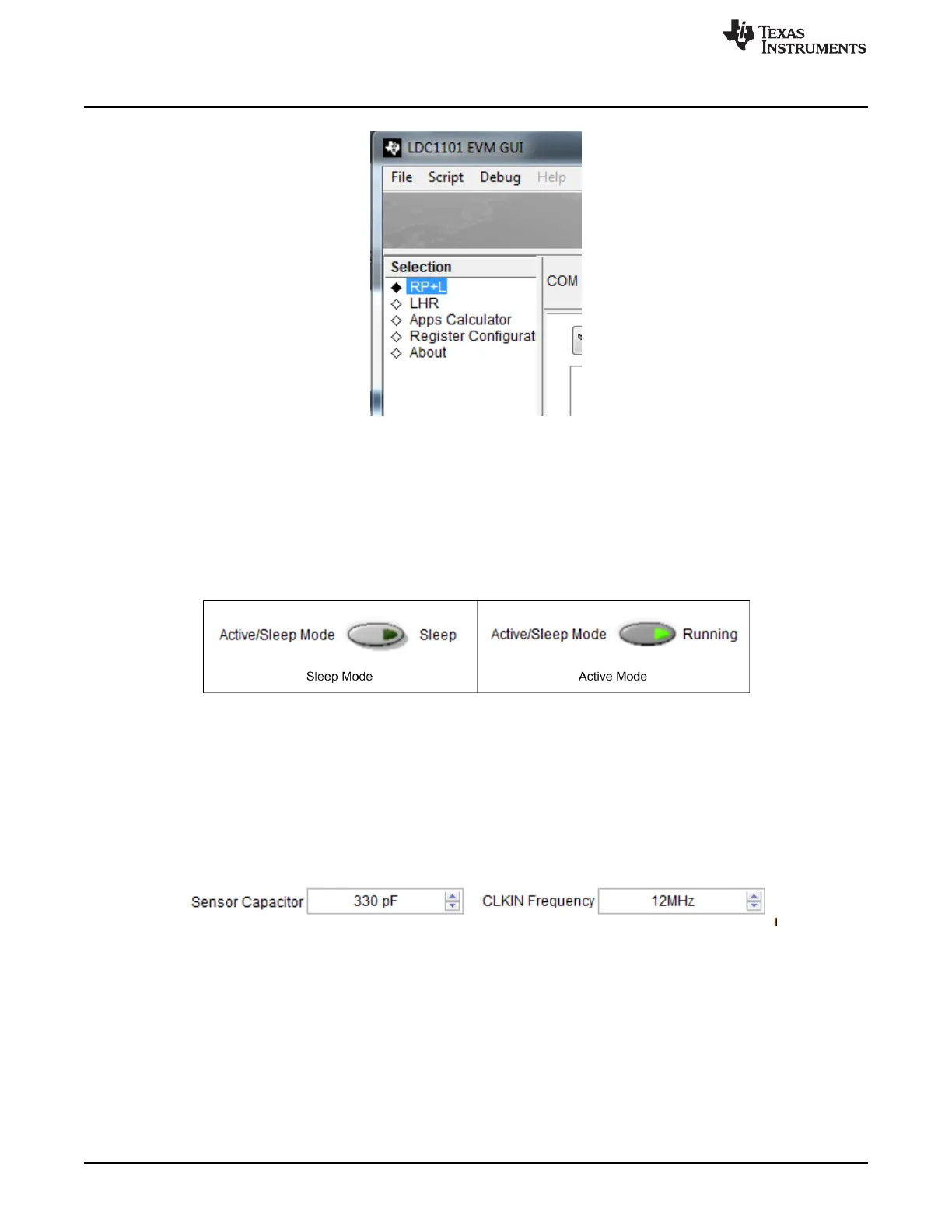
Figure 3-8. Page Selection
3.6 Active/Sleep Mode
The Active/Sleep Mode control changes the operating mode of the LDC1101; pressing the button toggles
between Sleep mode and Active mode. While in Sleep Mode the device can be configured with the
desired settings; it is recommended to make all device configuration changes in Sleep Mode.
In Active mode, the device is continuously converting and any enabled output plots are updated.
Figure 3-9. Sleep Mode/Active Mode
3.7 Sensor Configuration
The CLKIN Frequency should be set to 12MHz unless the frequency is changed using an external clock
source.
The default sensor comes with a sensor capacitance of 390pF; if the sensor capacitance is physically
changed then modify the Sensor Capacitor control setting to match the new capacitor value.
Figure 3-10. Sensor Configuration with changed Sensor Capacitor
16
LDC1101EVM PC Software (GUI) SNOU137–May 2015
Submit Documentation Feedback
Copyright © 2015, Texas Instruments Incorporated











 To Next Page