www.ti.com
Direct Register Access Page
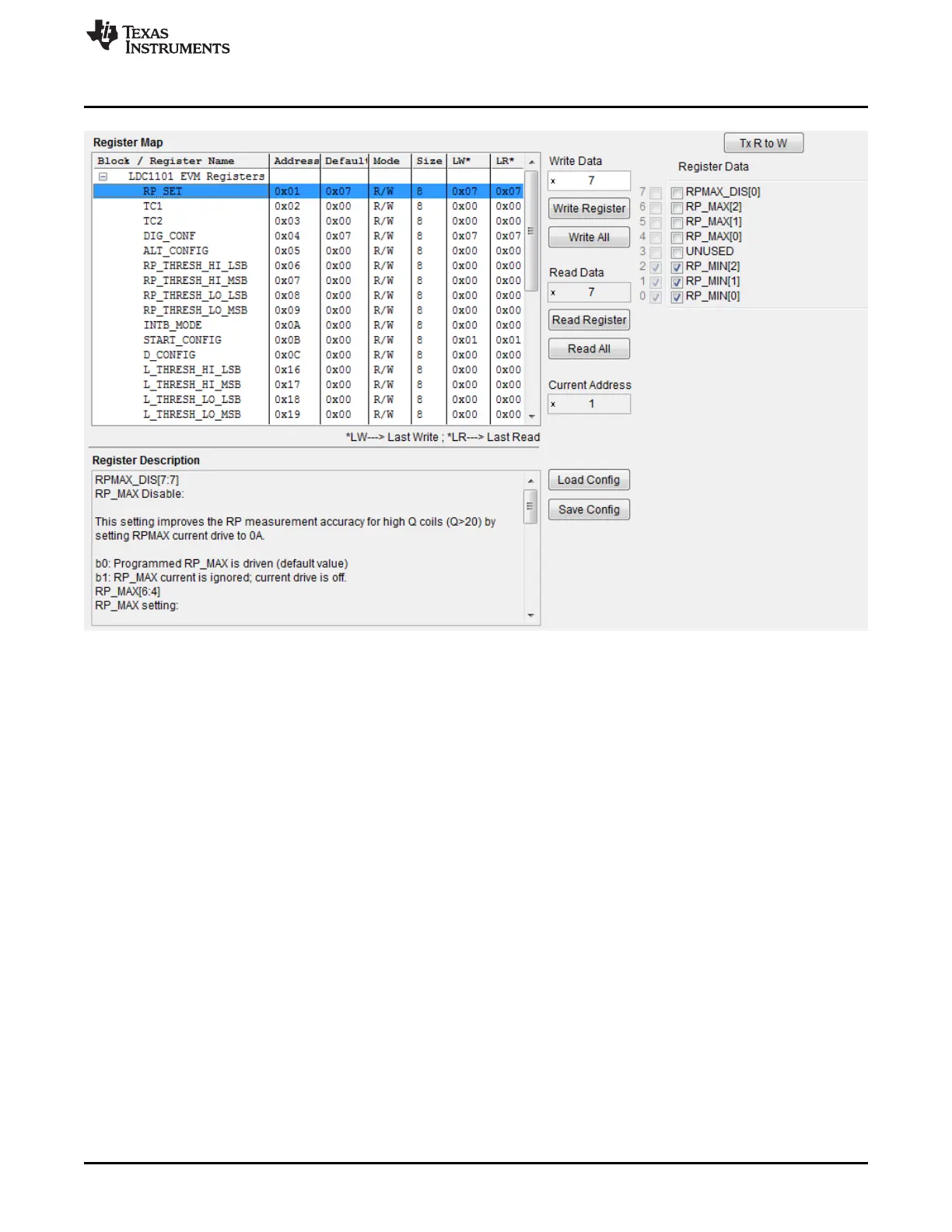
Figure 3-21. LDC1101 Control Software: Register Map Page
In the Register Map table, all of the LDC1101 registers are listed, along with the address, default setting,
the Last Written value (LW column), and the Last Read value (LR column).
At the bottom left of the Register Map page, the Register Description section of the page provides
information on each field in the register.
To the right of the Register Map table are the register read and write controls. Enter a desired Hex value
to program the register value, or click on the desired fields farther to the right. Press the Write Register
button to update the LDC1101 with the new value. The LW column in the Register table for the selected
register will update to reflect the new value written.
27
SNOU137–May 2015 LDC1101EVM PC Software (GUI)
Submit Documentation Feedback
Copyright © 2015, Texas Instruments Incorporated











 To Next Page