www.ti.com
Software Operation
3.5 Software Operation
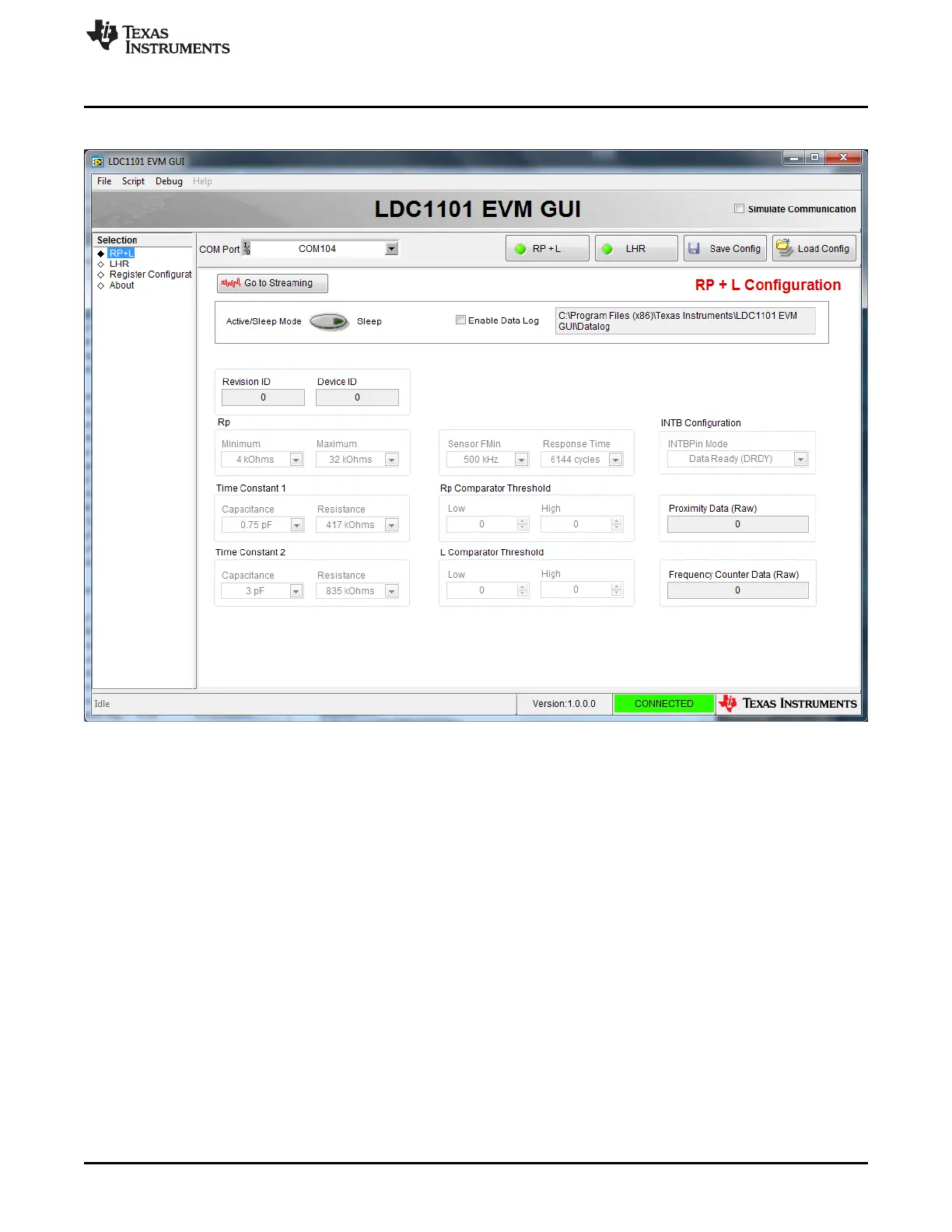
Figure 3-7. LDC1101EVM GUI
The top left section of the GUI is used to select the operating pages, which are the primary sections of the
GUI. Simply click on the label corresponding to the desired page. The pages of the LDC1101 GUI are:
• RP+L Page – this configures and executes R
P
and Inductance (L) measurements
• LHR Page – this configures and executes High Resolution Inductance (LHR) measurements
• Apps Calculator – this is a tool to configure the LDC1101 R
P
measurement settings.
• Register Configuration Page – this provides direct reading and writing of LDC1101 registers
• About Page – provides information on the GUI Software and information on an attached
LDC1101EVM
15
SNOU137–May 2015 LDC1101EVM PC Software (GUI)
Submit Documentation Feedback
Copyright © 2015, Texas Instruments Incorporated











 To Next Page