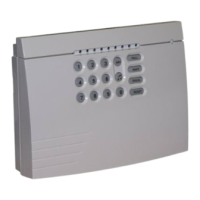
Speech Dialler Operators Manual
INS233 21
2
Press ! to select:
()*'+,'-./.0+12'
F5770,=.
3
Use ) or press , to select the Dialling
Options menu:
()*'+,'-./.0+12'
%65//64:'>?+6,47
4
Press ! to select. The top line of the display
will show the description for the option the
cursor (M) is pointing at. The bottom line shows
which options are enabled:
`/64='%65//64:'
MH'H'H'H'
5
Press + - . to enable/disable options,
e.g., press , to enable Pulse Dialling:
FA/7.'%65//64:'
'HMF'H'H'
6
Press ! to accept and exit this menu.
Ring Count
When calling into the Speech Dialler to use the Remote Access feature the unit will
answer the incoming call after a specified number of rings. If the ring count is set to
zero the Remote Access feature is disabled. The Speech Dialler also can be
configured to use answer defeat, see configuration options on page 23.
! To Change the Ring Count:
1
From the main menu press ) or 2 to
select the Configuration menu:
()*'+,'-./.0+12'
3,4B6:AC5+6,4'
2
Press ! to select:
()*'+,'-./.0+12'
F5770,=.
3
Use ) or press - to select the Ring Count
menu:
()*'+,'-./.0+12'
"64:'3,A4+
4
Press ! to select. The display will show the
current setting:
$47X.C'35//'
$B+.C'T'"64:7'
5
Press # to change the ring count setting,
e.g., press
##:
$47X.C'35//'
$B+.C'U'"64:7'
6
Press ! to accept and exit this menu.

 To Next Page
 Loading...