18
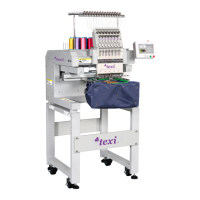
TEXI Catenaccio operation manual
Attention 1:When depressing the pedal to level 1 and lowering the presser, the user can press
& to change the sewing position of pattern. Then the user could start sewing at the selected position by
depressing the pedal to level 2. During the sewing, for the problems like thread-breakage, user can use this method for
mending after releasing the malfunction
Attention 2: Don’t apply the operations in Attention 1 into the operation of pattern trial sewing, in case the user
depresses the pedal to level 2 by mistake, thus start the machine and cause the dangerous. For the operations in trial
sewing, user shall strictly follow the descriptions of 【Confirmation of Pattern Shape】in the above sector.
4. Change to Other Patterns
5. Winding
1. Press to turn of the Sewing LED.
2. Press to select the .
3. Use & to set pattern number.
4. Set the X/Y scale rate, speed and so on in the same way.
5. Press to turn on the Sewing LED, thus have access
to Sewing status.
After selecting the pattern, user shall confirm the shape of the pattern.
If the pattern is far away from the presser, the needle will run into the presser, thus breaks the needle.
The winding device will not work just after power-on. Please set a pattern
code and press to turn on the Sewing LED before the winding
operation.
1.Press to turn off Sewing LED.
2.Press to select the . (It is unable to select when the
Sewing LED is on).
3.Press to lower the presser and turn on the Sewing LED.
4. Depress the pedal to start the sewing machine
5.Depress the pedal switch or press or to stop machine
6.Press to turn off the Sewing LED and lift the presser. Then
become valid.


 To Next Page
 Loading...