300/400TS and 300/400S 12 MAINTENANCE
12 – 13
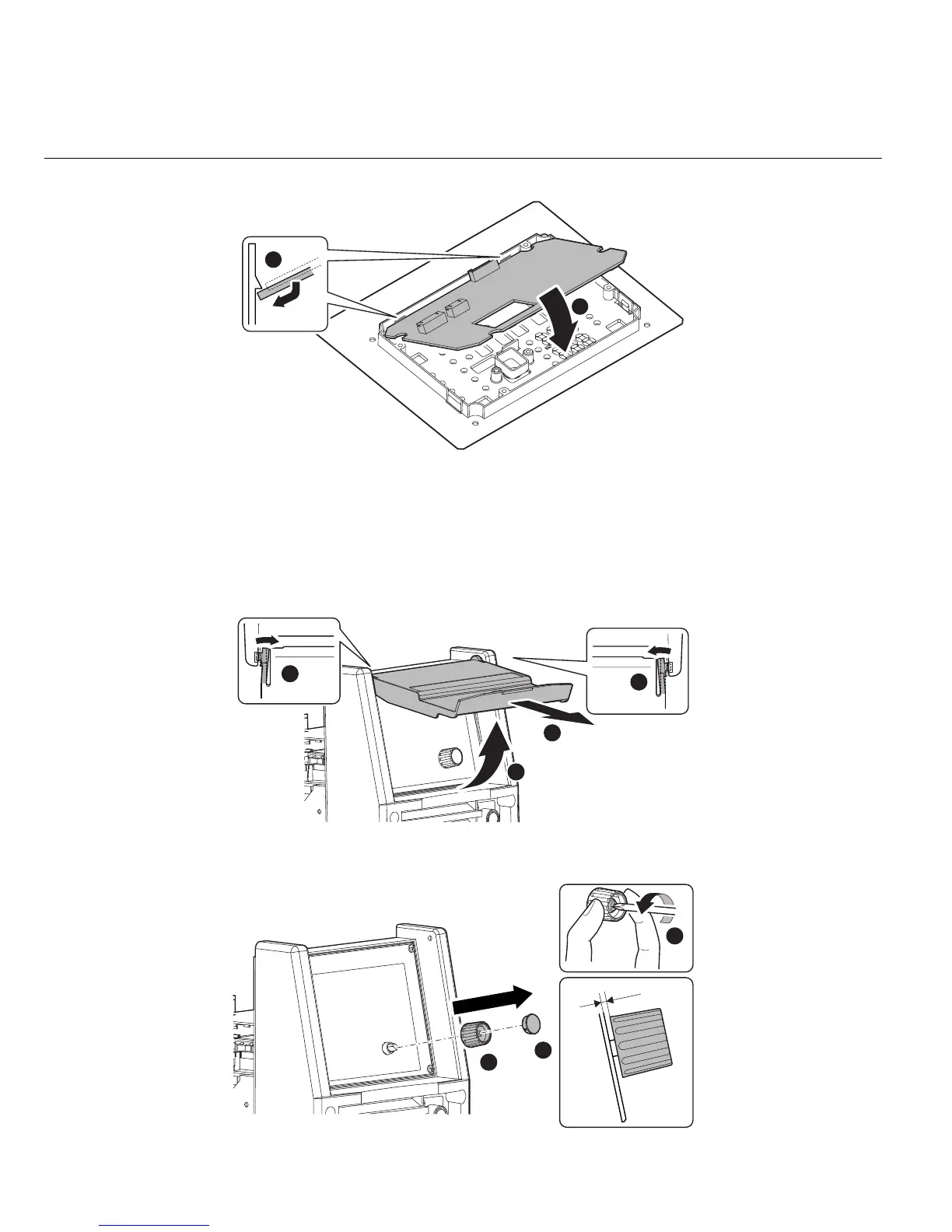
When reinstalling the PCB12 (WK-5527), engage two latches of Front Control Cover first.
3.10 PCB13 (WK-5528)
1) Remove the side cover. [Reference page : 11-1]
2) Remove the Protection Cover.
3) Remove the Knob Cap. Holding the Knob down, loosen the screw and remove the Knob.
2
1
1
2
2
3
1
2
3
1mm



 To Next Page