12
01
13
01
Getting Ready I
Part Names
Getting Ready I
Part Names
Part Names
The appearance of this product may dier slightly from the picture.
T7 Main Unit -
Rear
DMB
EXT.ANT
GPS
EXT.ANT
RESET
A/V IN
SD CARD
DC 5V
2
1
3
4
5
6
Part Names
DMB
EXT.ANT
GPS
EXT.ANT
RESET
A/V IN
SD CARD
DC 5V
7
8
9
1112
10
1
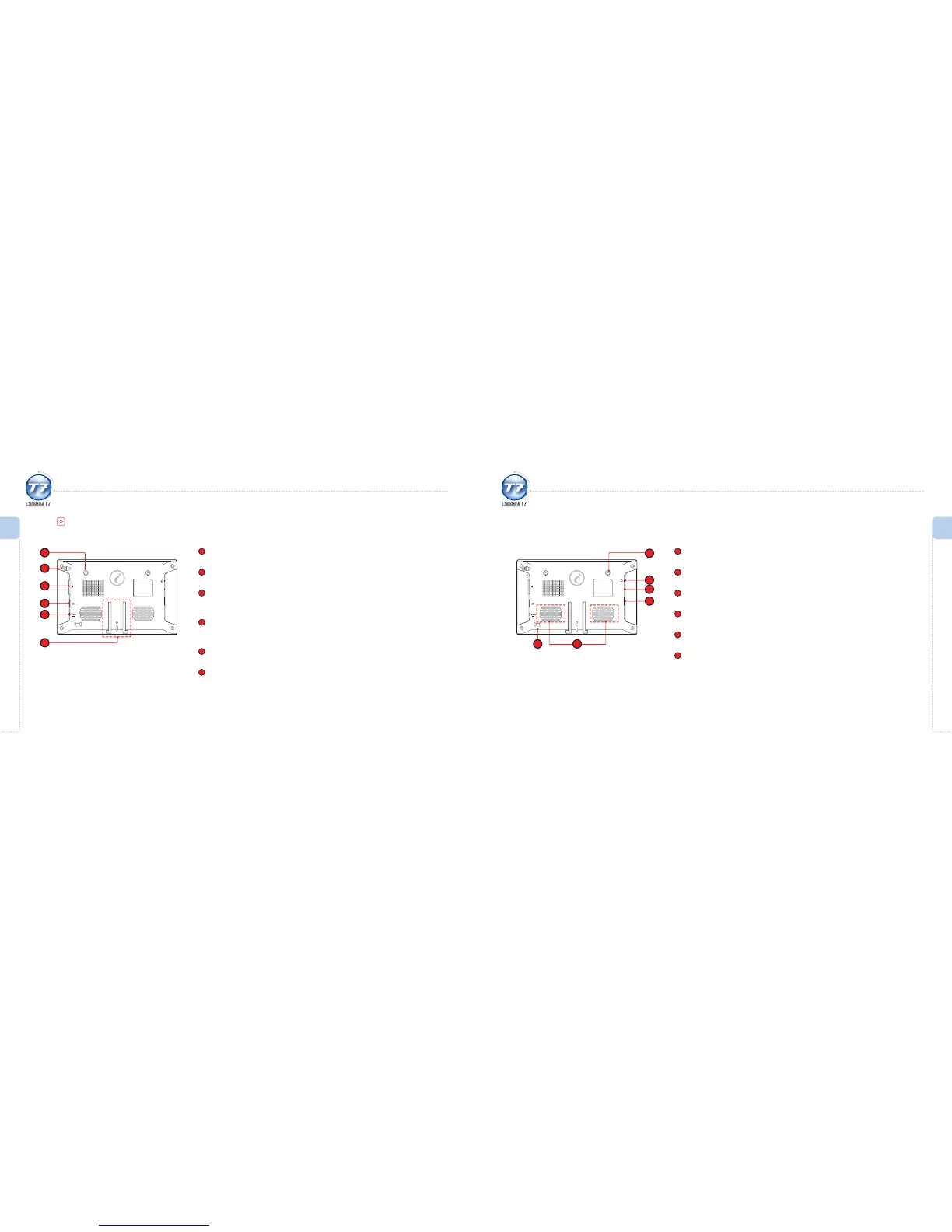
External DVB-T Antenna Port
To connect an external DVB-T antenna.
2
DVB-T Antenna
DVB-T Antenna for ThinkNavi T7.
3
SD Memory Slot Card
You need an SD memory card inserted to use all the functions of ThinkNavi T7.
(refer to page 17 for Inserting/Disconnecting the SD Memory Card.)
4
USB Host Port
To connect other external devices (such as external hard disk and memory stick) using
USB cable.
5
Power Adapter Port
To connect the power adapter.
6
Mount Connection
To connect the mount. (refer to page 14~15 for connecting the mount.)
7
External GPS Antenna Port
To connect an external GPS antenna.
8
Earphone Port
To connect earphones.
9
AV IN Port
To connect an external audio or video device or to use the rear camera.
10
24-Pin Connector
To Use TMC Receiver to connect to the PC using the 24-pin USB cable. (optional)
11
Louder Speakers
Built-in stereo speakers.
12
RESET
To restart ThinkNavi T7.



 To Next Page