5-14
BATTERY 5.6
The batteries are located in the ROPS behind the opera-
tors seat. To remove the battery:
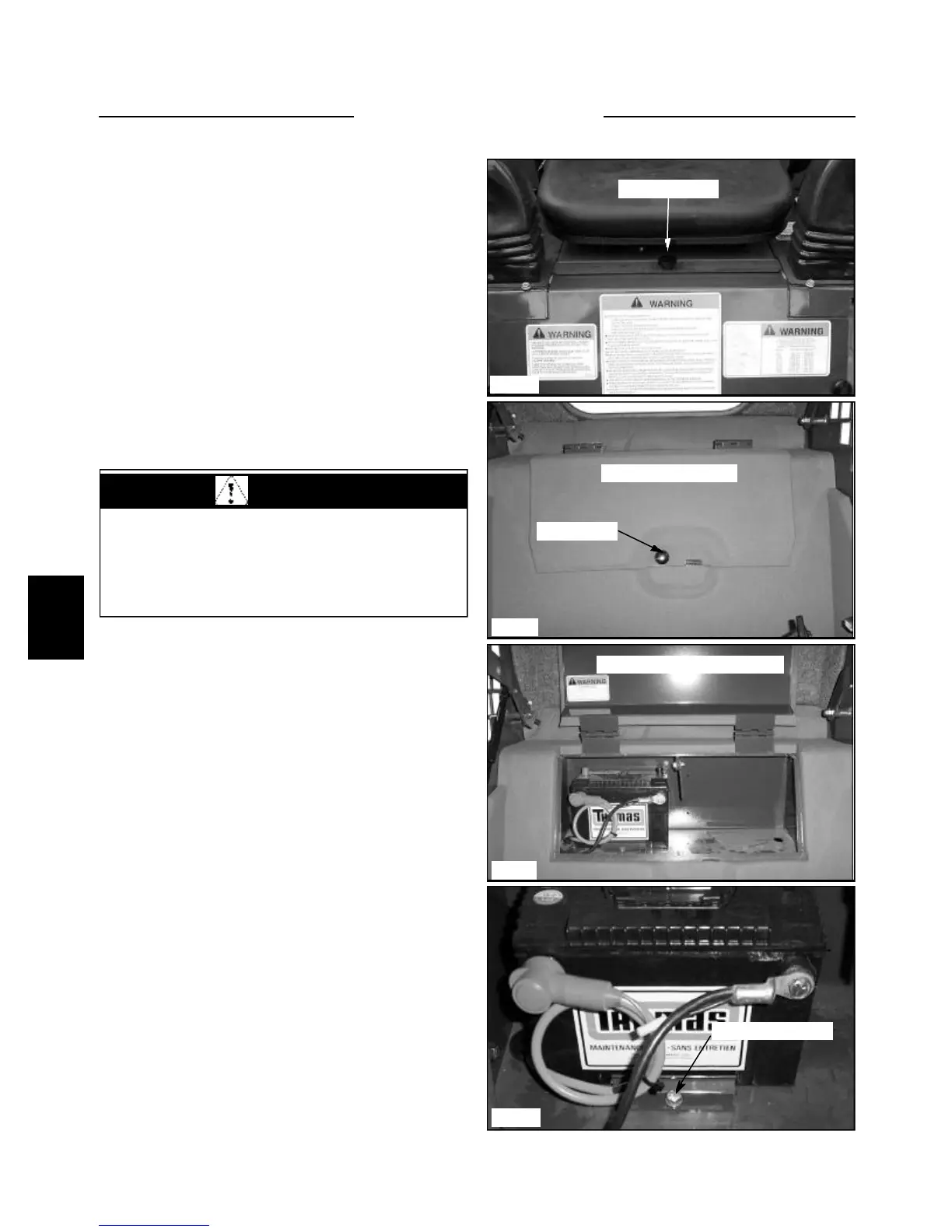
1 Remove the seat mount retaining bolts and discon-
nect the seat switch wiring harness. (fig. C3557)
2 Pull up and toward the front of the loader and
remove the seat. Be careful to not catch any electrical
wiring while removing.
Removal and Inspection
C3557
Mounting bolt
C3584
C3585
Battery hold down
Battery Compartment Cover
C3583
Access bolt
Battery compartment
6 Remove the bolt securing the battery hold down
bracket. (fig. C3585)
7 Carefully remove the battery from the compartment.
8 Inspect the battery cables for corrosion and damage.
Remove any corrosion using a wire brush and a soda
solution. Replace the cables having damaged or deformed
ends.
9 Clean the outside of the battery case if the battery is
to be reused. Flush the terminal areas with a soda solution
taking care not to allow the solution into the battery cells.
Remove corrosion from the battery terminals with a wire
brush..
4 Raise the battery compartment cover and latch the
prop bar in place. (fig. C3584)
5 Disconnect both battery ground terminals first. Then
disconnect the positive cables from the battery. (fig.
C3585)
3 Remove the access bolt from the battery compart-
ment cover. (fig. C3583)
WARNING
Batteries contain sulfuric acid which can harm the
eyes and skin on contact. Always wear goggles and
protective clothing while servicing the battery. Flush
skin or eyes with water upon contact. Consult a
physician.


 To Next Page