3-7
DRIVE MOTOR SPROCKET 3.4
Replacement
The torque motor drive sprocket can be removed from the
loader without removing the drive motor from the final
drive housing.
1 Place the loader on a level surface, engage the park-
ing brake and shut off the engine.
2 Raise the loader securely from the ground and
remove the wheels on the side to be worked on.
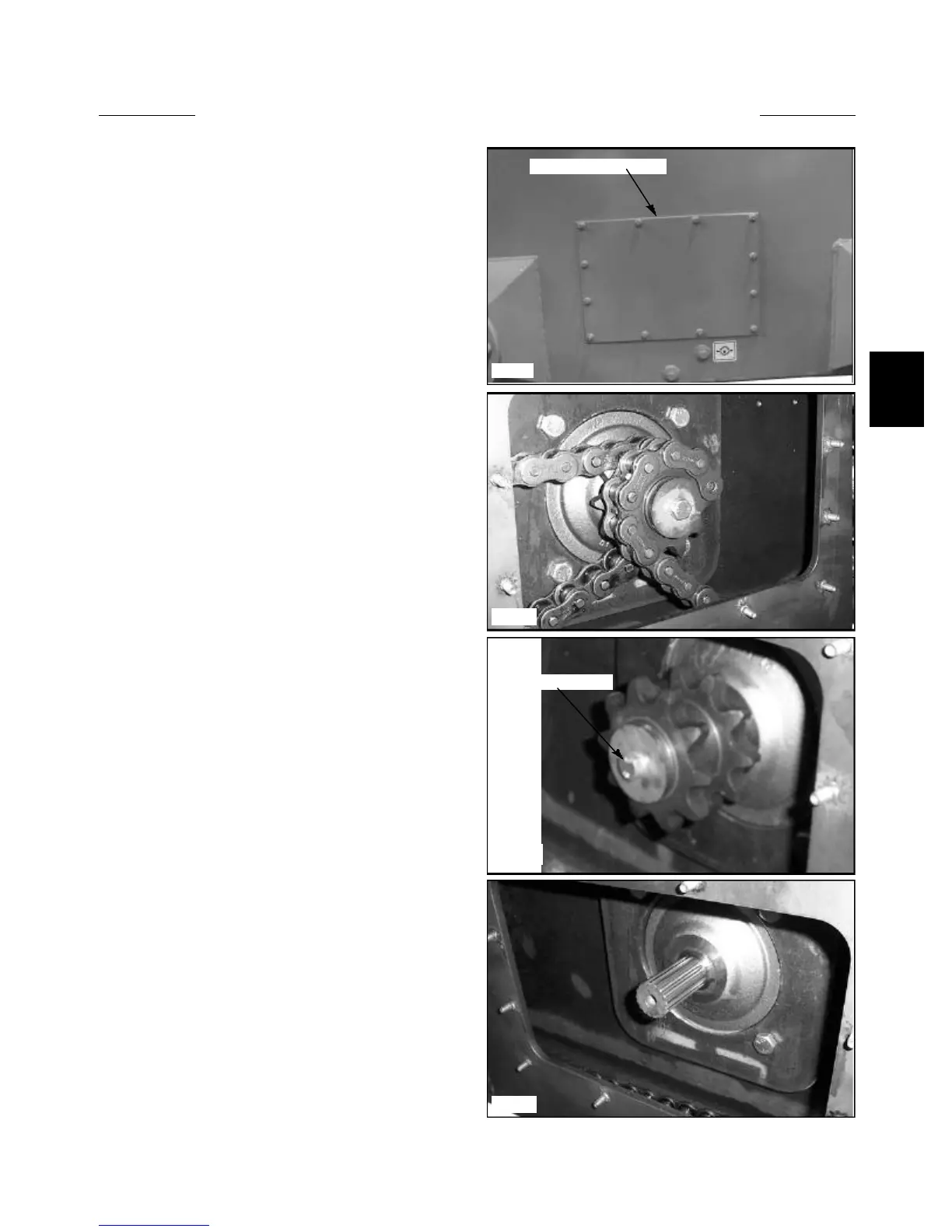
3 Remove the inspection cover located between the
axle assemblies. (fig. C3521)
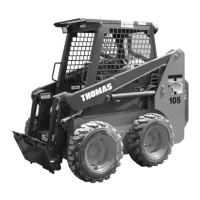
4 Remove the connector link from the front and rear
chains. (fig. C3804)
C3521
Remove inspection cover
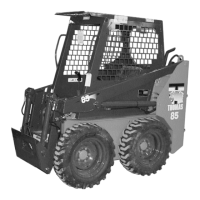
Drive sprocket bolt
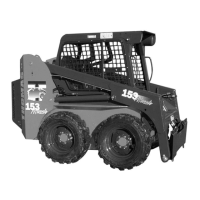
C3802
C3493
5 Remove the bolt retaining the drive sprocket to the
drive motor. (fig. C3493)
6 Slide the sprocket off the drive motor shaft. (fig.
C3493 & C3802)
7 Replace the drive sprocket in the reverse order
above. Apply Loctite 242 (blue) to the drive sprocket bolt
and torque the bolt to 40 lbs / ft (54 Nm)
C3804


 To Next Page