© 2013 Thorlabs GmbH110
DCx Cameras
3.4.2.7.10 Miscellaneous
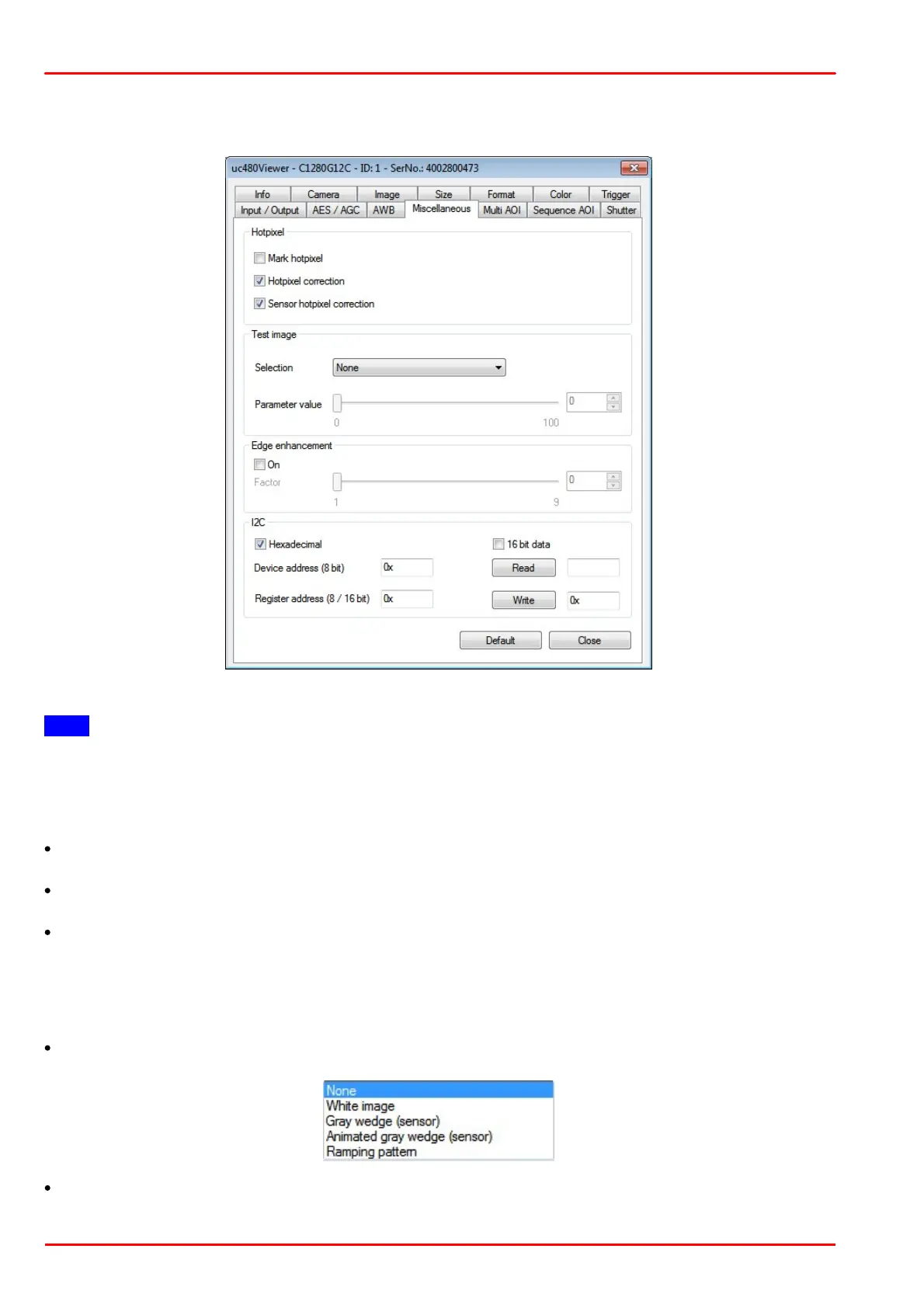
This tab provides parameters for setting miscellaneous functions for your DCx camera.
Note
Sensor hotpixel correction and DCC1240x / DCC3240x: If sensor hot pixel correction and Multi AOI are enabled,
the sensor displays a four pixel wide black line between the AOIs.
Hotpixel
This function corrects the sensor hotpixels specified in the camera EEPROM.
Mark hotpixel
If you select this check box, the hotpixel positions stored in the camera are graphically represented in the image.
Hotpixel correction
Select this check box if you want to enable a software-based hotpixel correction.
Sensor hotpixel correction
Enables the sensor's internal hotpixel correction for some models.
Test image
The camera transmits a selectable test image that you can use for testing the data transmission. You can choose
from different types of test images, depending on the camera type.
Selection
Parameter value
You can adjust the appearance of some of the test images with the "Parameter value" slider.



 To Next Page