© 2013 Thorlabs GmbH
3 Operation
125
Detecting hot pixel automatically
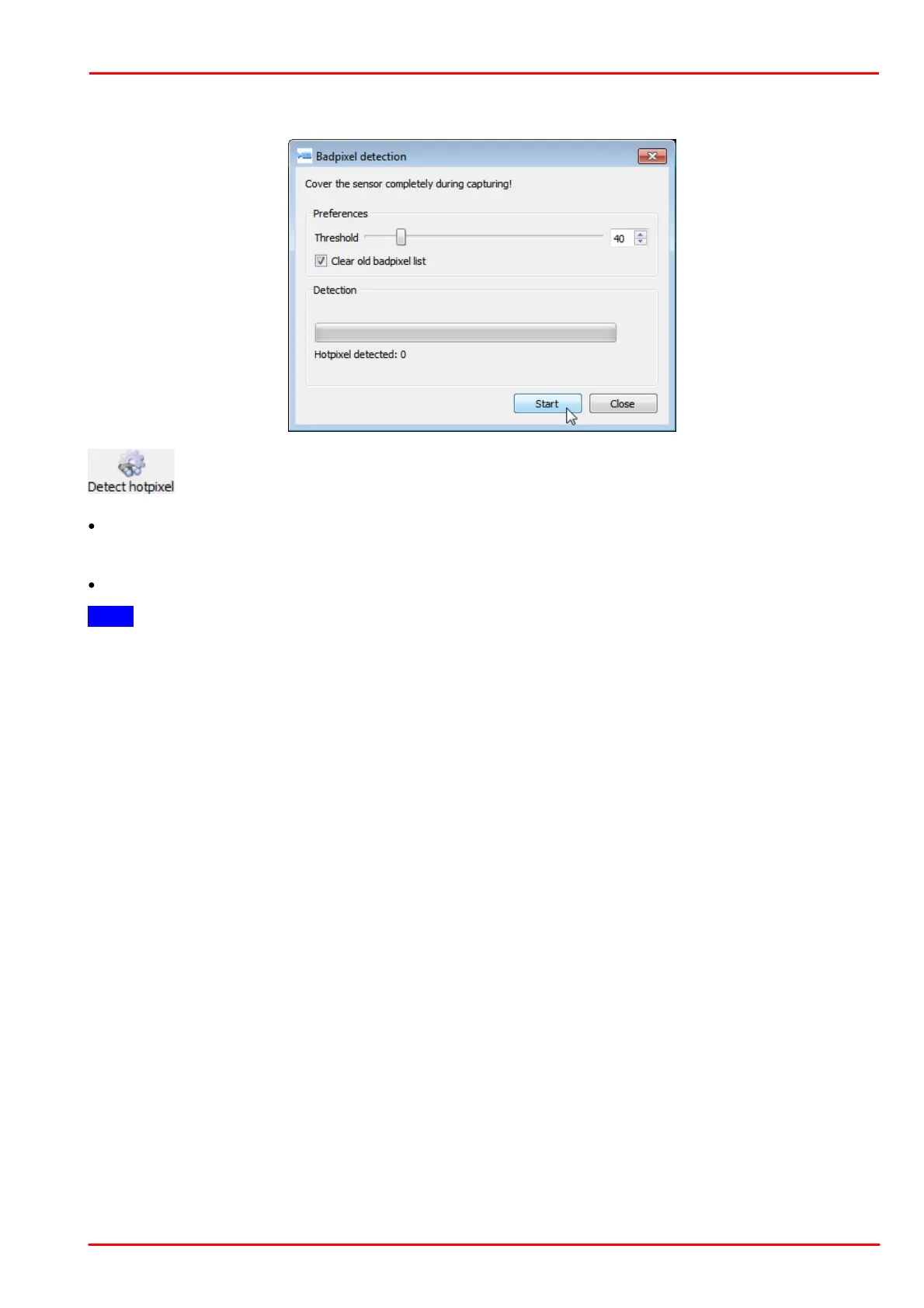
opens the "Badpixel detection" dialog. Bad pixels are detected and can be added to the "user" class
list.
"Threshold": Any pixel with an intensity exceeding that threshold will be recognized as a bad (hot) pixel, where
the threshold is is the minimum intensity difference to the reference intensity. The reference is the averaged over
the most recent 10 frames total pixel intensities. Threshold can be set between 5 and 255.
The "Clear old badpixel list" option removes the old user list before the search.
Note
The number of bad pixels, stored to the EEPROM, is limited. If the number of detected bad pixels exceeds the
memory capacity, please increase the bad pixel detection threshold and repeat the detection procedure.



 To Next Page