20
Note: It is the installer’s responsibility to ensure that the TileVision
®
is
installed and sealed correctly, failure to do so will invalidate the guarantee.
Installing the TileVision
®
– Sealing
Sealing the TileVision
®
When correct function has been confirmed, switch the TileVision
®
to standby and set the isolation
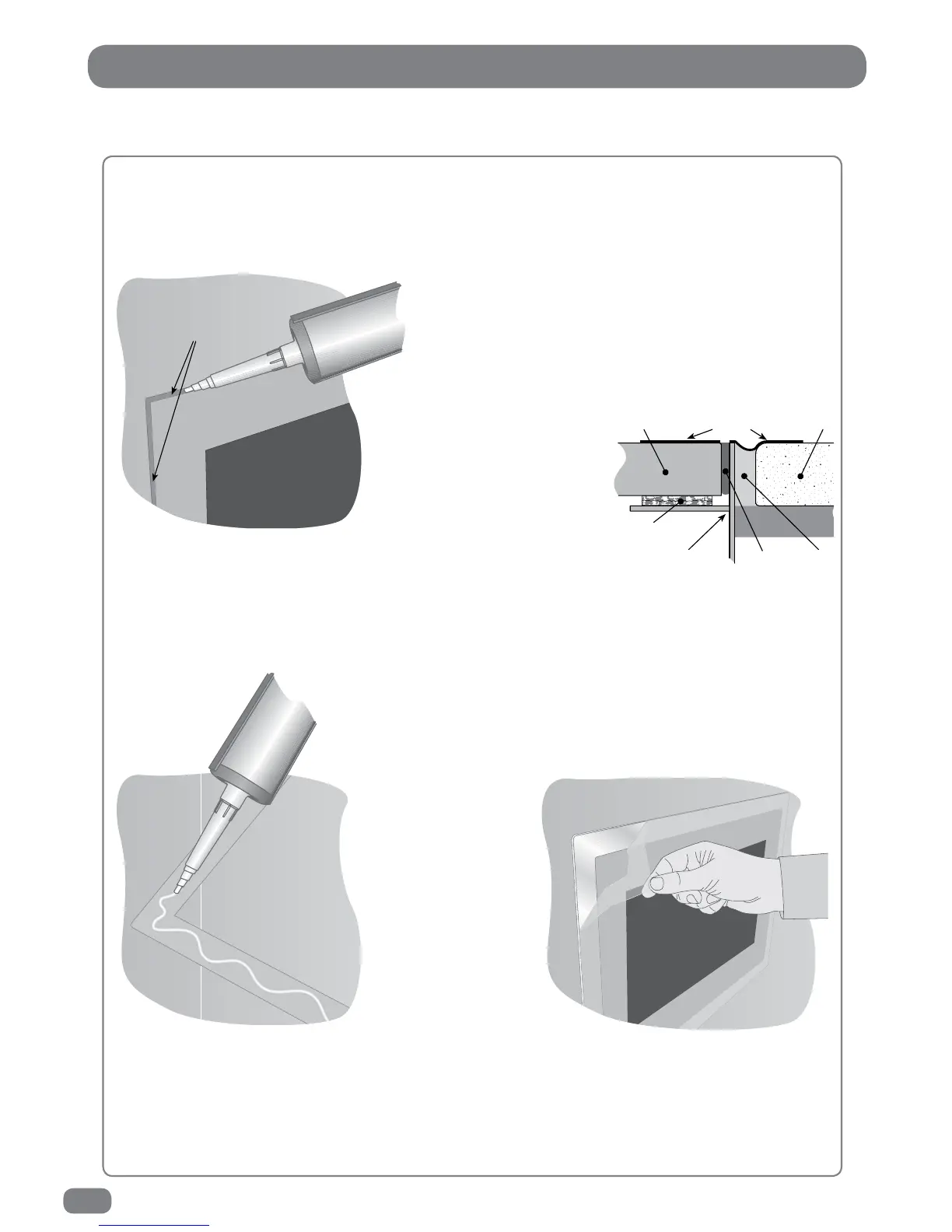
switch to off. Apply clear silicone sealant to the joint between the sides of the back box and the sides
of the TileVision
®
. Ensure that the sealant is worked into the space evenly and is applied without any
gaps, bubbles or voids. Wipe any excess sealant away and
check for any imperfections. Rectify any errors as
necessary.
This seal is essential for the reliable and safe
operation of the TileVision
®
and must be
completely waterproof.
Sealing Tip
: To achieve a neat
seal apply lengths of masking
tape around the TileVision
®
glass screen and the
surrounding tiles. Leave
sufficient gap to apply the
sealant around the joint between
the sides of the back box and TileVision
®
.
Once the sealant has set and the masking tape removed the acrylic
surround can be fitted as shown below.
Fitting the mirrored acrylic surround
The mirrored acrylic surround is a cosmetic addition and has no bearing on
the integrity of the waterproof seal of the TileVision
®
.
If the surround is being fitted to the TileVision
®
, the same silicone
sealant used to seal the screen into the back box can be used to fasten
the surround to the wall.
Lay the surround on a
flat surface and apply
the sealant to the matt
grey surface as shown.
Once the sealant has
been applied, align the
surround with the
TileVision
®
using a
spirit level as a guide
and press the
surround firmly to
thewall.
After the sealant has set the protective film can be removed from the front of the surround.
Cleaning Instructions
To clean the glass and surround, use only a soft damp
cloth. Under no circumstances are abrasive cleaners to be used, failure to observe
this warning will invalidate the guarantee.
fill the space between the
edge of the TileVision
®
and the back box



 To Next Page