66
Problem Solution
The red light does not ash when
any button is pressed.
Replace the battery with a new type
CR2032 battery.
The red light does not ash when a
‘programmed’ button is pressed.
The button has not been programmed
or has not been programmed correctly.
Program the button.
The red light ashes when a button
is pressed but the TileVision® or
device does not respond.
Ensure that the remote control is within
three meters of, and pointed at, the
TileVision® or piece of equipment.
The remote control does not
operate a device correctly or some
commands are not working.
Try all listed codes for the device as
shown in the control code pdfs which
are available from the support section
of the TileVision® website or program
the buttons from the device’s own
remote control.
During learning the red light does
not ash three times or stays on
for a long time after pressing a
button to be learnt.
Memory is full or a bad capture has
occurred. For optimum learning, avoid
high levels of ambient light such as
natural sunlight or energy ecient
uorescent lights. Try adjusting the
position of the remote controls before
performing the procedure again.
Remote Control - Troubleshooting
LiTh ium C ell
CR20 3 2
3V
LiTh ium C ell
CR20 3 2
3V
A
B
C
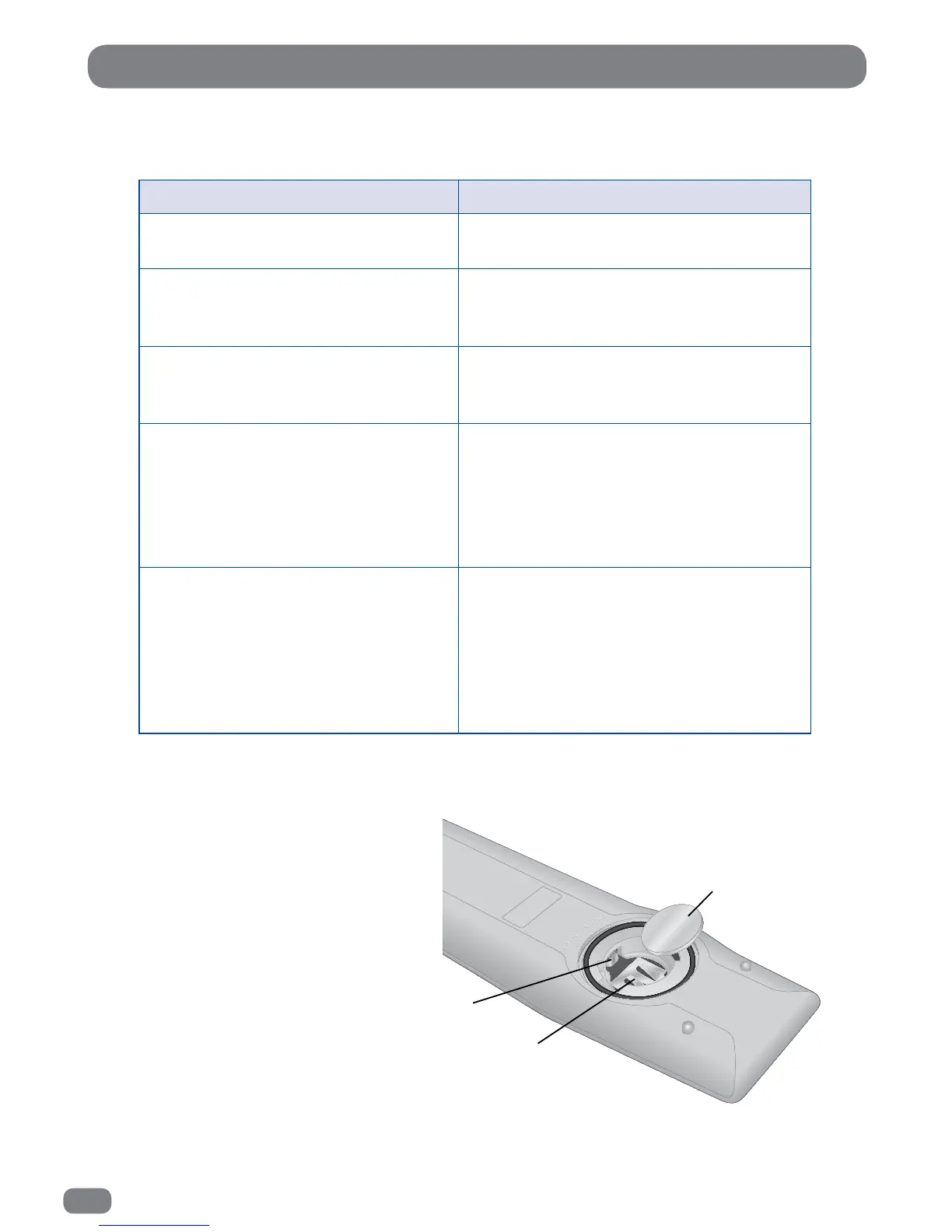
If the remote control fails to operate after
the battery has been installed or
replaced.
A. Gently pull forward the small battery
terminal.
B. Gently raise up both prongs.
C. Insert the battery at an angle, so it
rests on the battery terminal A.
Refit the battery cover and wait 15
seconds before operating the remote
control.



 To Next Page