TINY AUDIO C10 User Guide
16
Basic Remote Operation
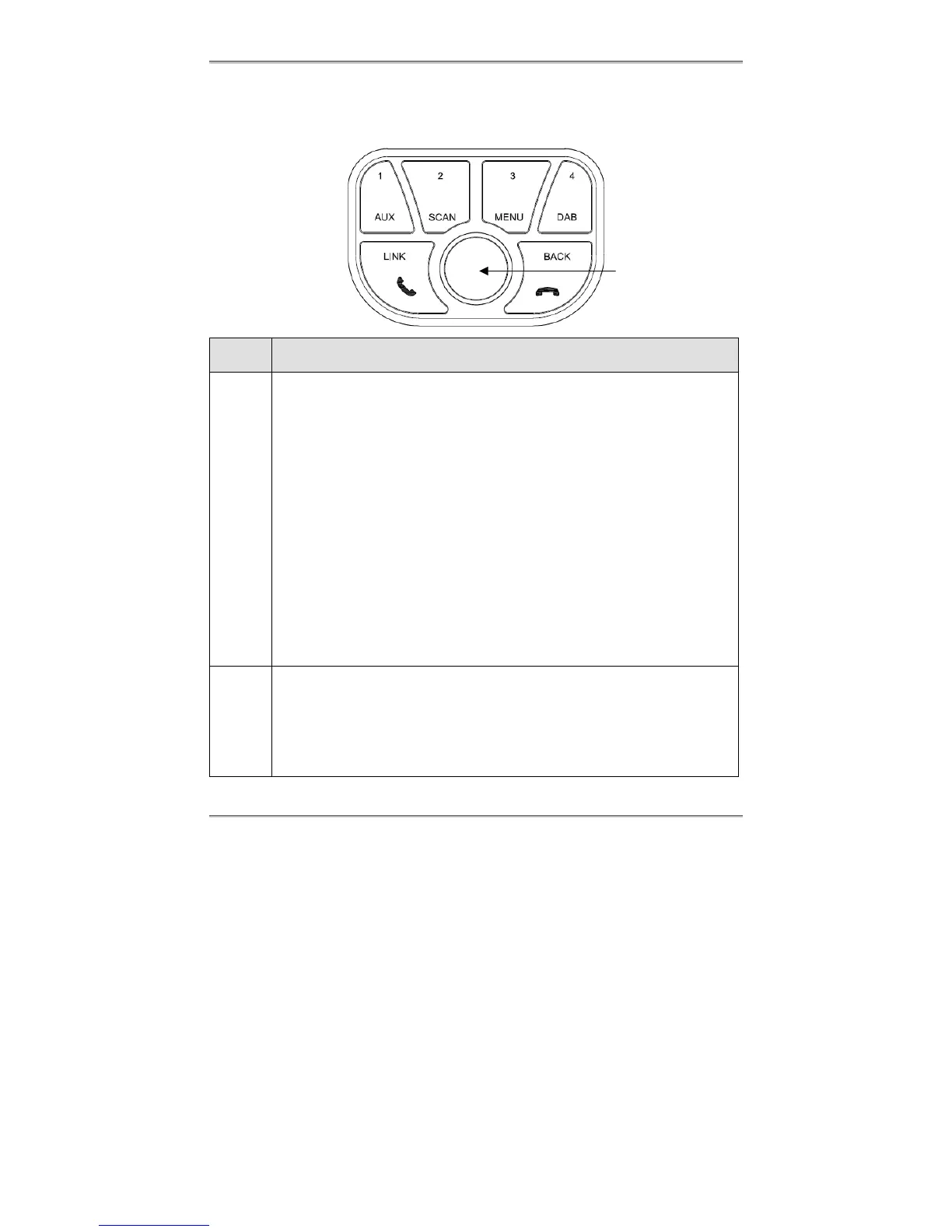
There are 6 control keys and a rotary knob on the remote control, press Rotary Knob and
one of the four number keys to invoke the labeled function.
Control
key
General operation
Rotary
Knob
Press
Turn on TINY AUDIO C10 while it is off.
Confirm a selection.
Change DLS/DL+ information while listening to a DAB station.
Press and followed by DAB, AUX, SCAN or MENU to enter the selected function.
Toggle the control of play/pause while in the Bluetooth audio streaming mode.
Toggle to mute or un-mute the active phone call.
Rotate [◄] [►]
Step tune to select a DAB station.
Navigate to items, sub items, and settings in the menu function.
Adjust FM transmitting frequency by 100 KHz in the link function.
Control of previous/next song while in the Bluetooth audio streaming mode.
Switch between two active phone calls.
Accelerate Rotation [◄] [►]
Quick tune to select a DAB station.
Adjust FM transmitting frequency by 2MHz in the link function.
Press and Hold
Turn off TINY AUDIO C10 while it is on.
1
AUX
Press
Recall memory preset in group 1.
Press and Hold
Program memory preset in group 1 with the listening DAB station.
Function AUX
Switch TINY AUDIO C10 audio input to AUX mode to listen to audio streaming
Rotary Knob



 To Next Page