TH2883 Series Operation Manual Chapter 3 Panels and display
3-4
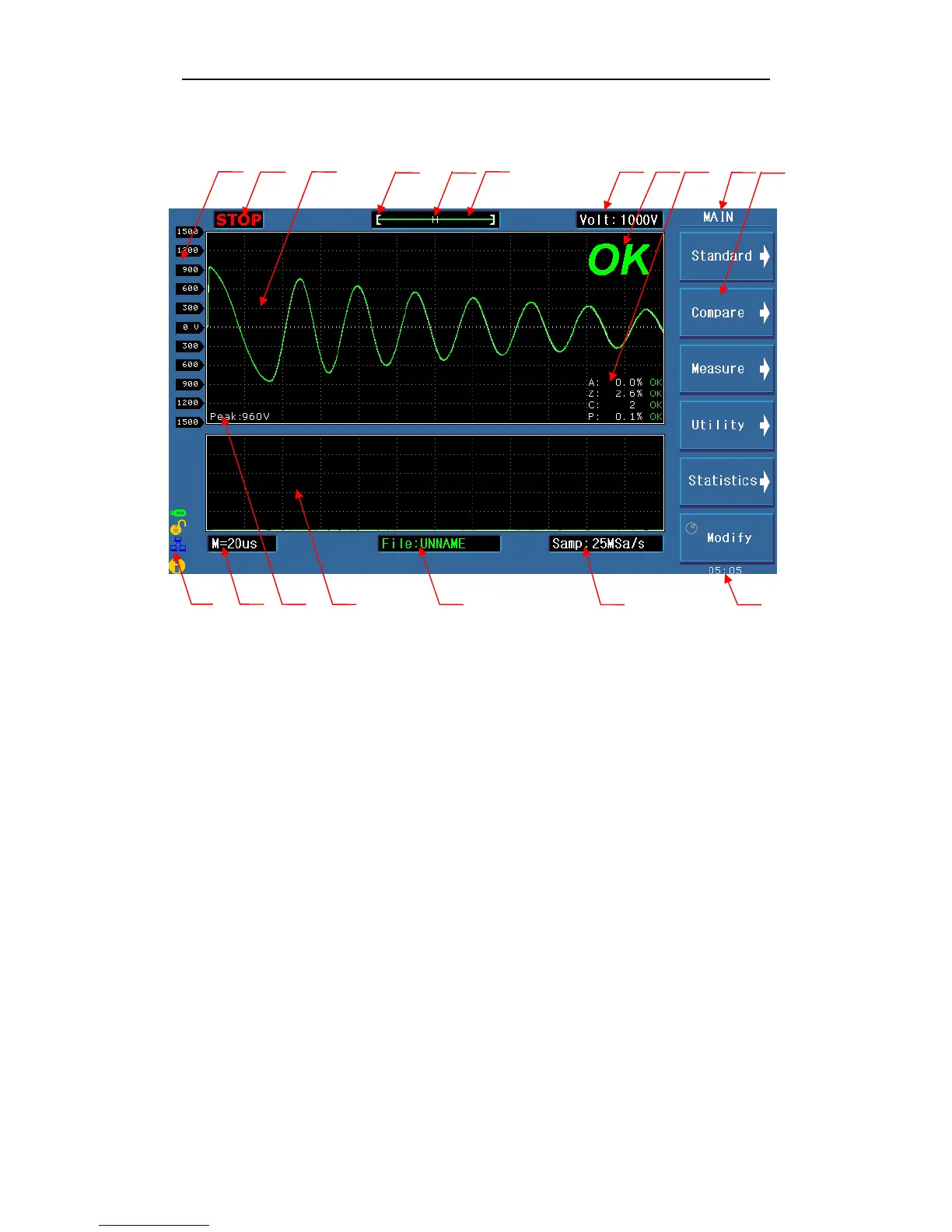
3.3 Introduction to display area
1 2 3 4 5 6 7 8 9 10 11
12 13 14 15 16 17 18
Specific definition for each area:
1 Voltage
Show the voltage of waveform
2 Test status
RUN means in the test process, STOP means the test has been terminated.
3 Waveform display area
In this area, test and standard waveforms, peaks of impulse voltage and comparison results
are displayed.
4 Indicate the waveform location in the memory.
5 Indicate whether a standard waveform exists. N means a standard waveform exists while H
does not.
6 Show the memory depth and indicate the current display color of the test waveform. User
can use the roller to change the color.
7 Impulse voltage
Show the current set impulse voltage. This voltage can be changed by the [Modify] soft key
and the roller.



 To Next Page