TH2883 Series Operation Manual Chapter 8 SCPI Command reference
8-18
Command format:
WADJust:MOVE RIGHt
LEFt
Where, RIGHt Move the waveform to the right.
LEFt Move the waveform to the left.
For example: WrtCmd(“WADJust:MOVE +1”); move the waveform to the right.
WrtCmd(“WADJust:MOVE RIGHt” ); move the waveform to the right.
The :EXTend command is used to extend or zoom the waveform.
Command format: WADJust:EXTend 1
For example: WrtCmd(“WADJust:EXTend 1” ); the waveform display to the most
Or WrtCmd( “WADJust:EXTend min” ); the waveform display to the most
Query syntax: WADJust:EXTend?
Return format: <NR1><NL^END>
8.3.8 SWAVE subsystem commands
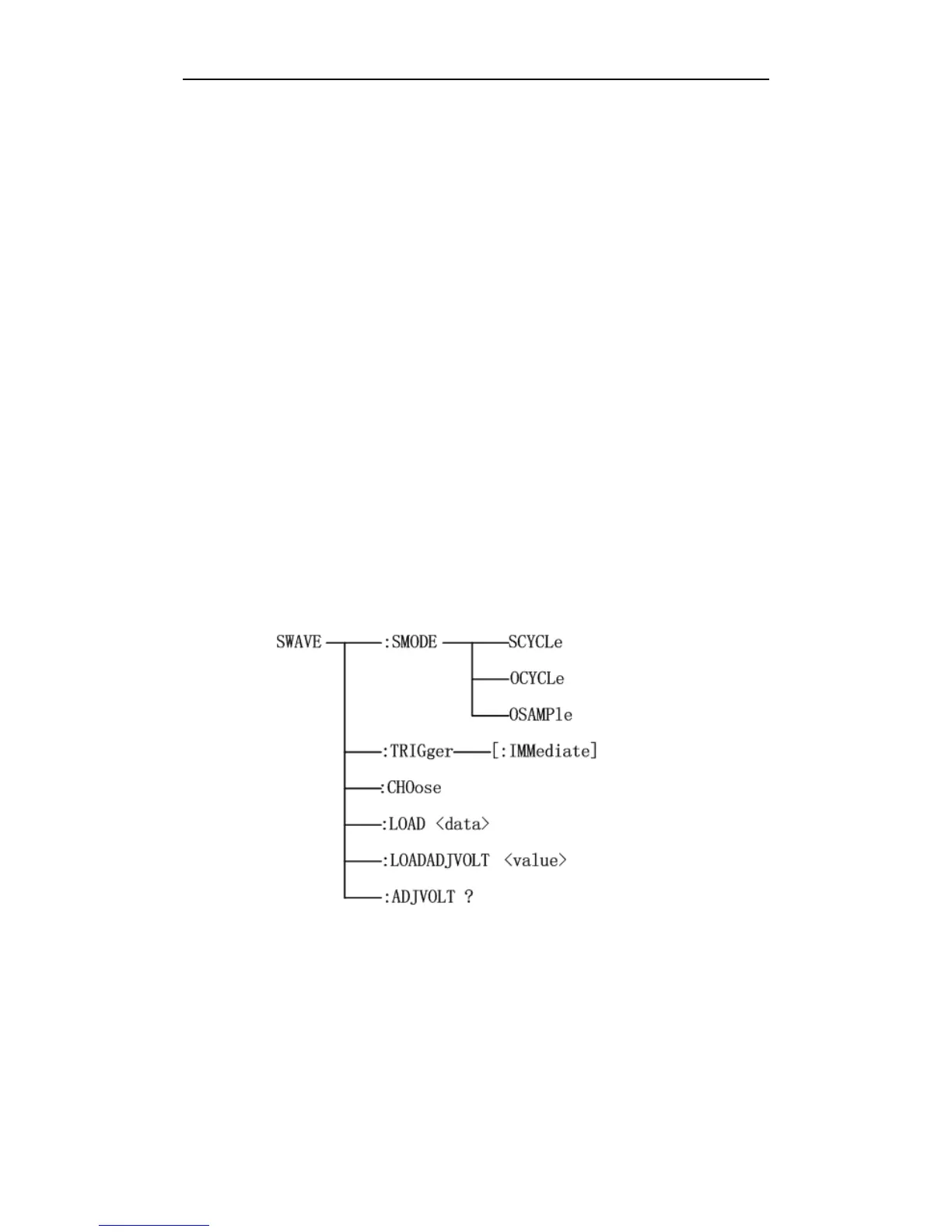
The Standard WAVE subsystem commands set the parameters for sampling the standard waveform,
including setting the standard waveform sample mode, triggering the measurement of a standard
waveform and choosing a sampled standard waveform. Figure 8-9 shows the Standard WAVE
subsystem command tree.
Figure 8-9 Standard WAVE subsystem command tree
The :SMODE command sets the sample mode of the standard waveform. The :SMODE? query
returns the current sample mode.



 To Next Page