TH2883 Series Operation Manual Chapter 6 Introduction to [SYSTEM]
6-5
6.2.1 I/O
Move the cursor to the I/O: zone, following soft keys will be displayed.
RS232C Set RS232 interface as the I/O interface.
USB Set USB interface as the I/O interface.
LAN Set LAN interface as the I/O interface.
Lighten this key to enable the numerical arrow key. Respectively press 8, 2, 4, 6, the
cursor will move up, down, left and right.
Note: Once an interface is selected, the cursor can only move in the corresponding zone.
For example, when RS232C interface is selected, the cursor can move only in the RS232C
setup zone.
6.2.2 TH2883 RS232C interface
RS-232 standard, also called as asynchronous serial communication standard, has already been
widely used for data communication between computers, computer and external equipment. RS
is the English abbreviation of Recommended Standard; 232, the standard number. This standard
is issued by IEA in 1969, which rules to send one bit in a data line every time.
As most serial interfaces, the serial interface of TH2883 is also not strictly based on RS-232
standard but only uses the smallest subset of this standard. The signals are listed in the following
table.
Signal Code Connector pin number
Transmitted data TXD 2
Received data RXD 3
Signal ground common GND 5
Table 6-1 RS-232 signal and pin number
The reason is that the use of three lines is much more inexpensive and much simpler than that of
five lines or six lines, which is the biggest advantage of using serial interface for communication.
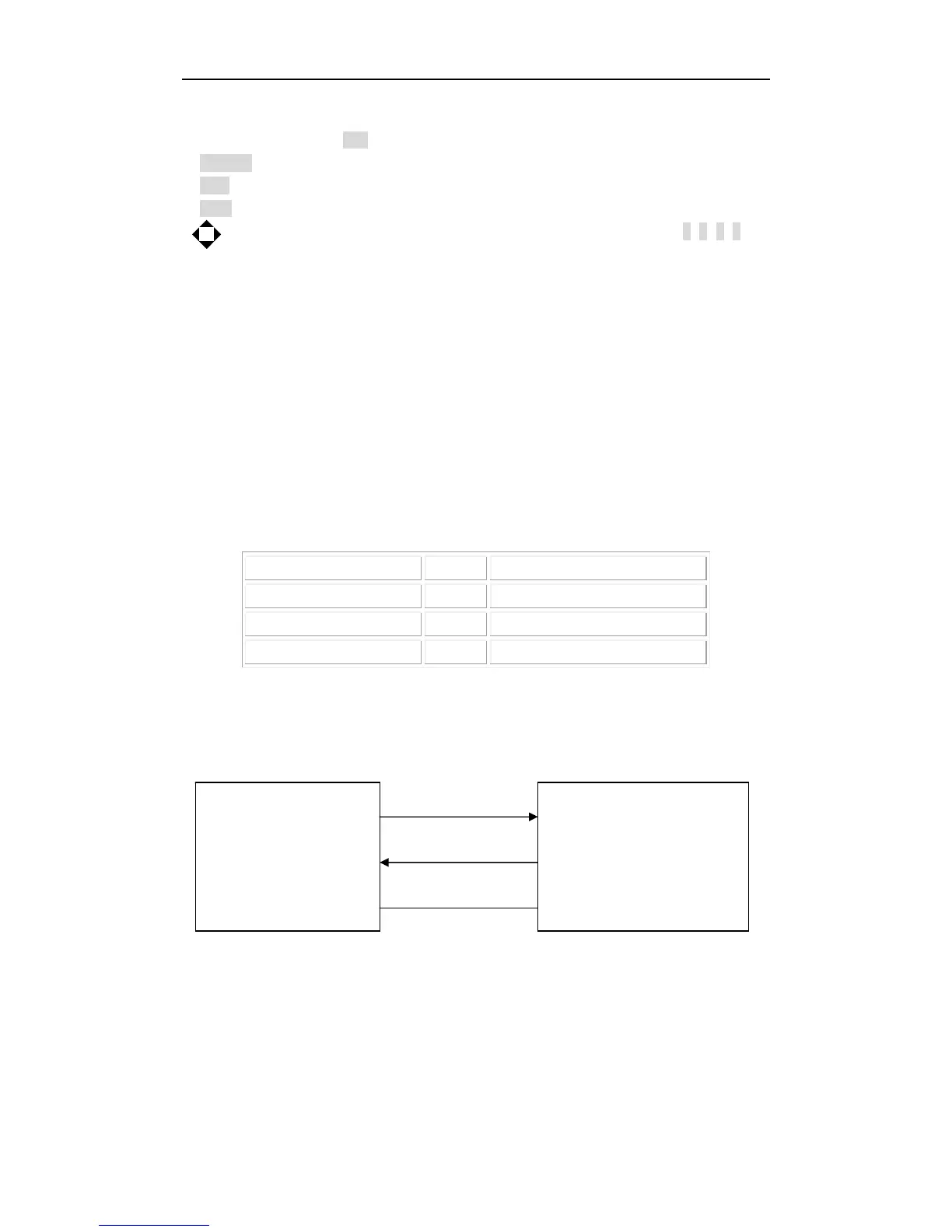
The connection of the instrument with PC is shown in figure 6-3:
TXD(2) (3) RXD
PC
(Controller) RXD(3) (2) TXD TH2883
GND(5) (5) GND
Figure 6-3 Connection of the instrument with PC
Figure 6-3 shows that the serial interface pin definition of this instrument is different from that of



 To Next Page