TH2883 Series Operation Manual Chapter 4 Introduction to [DISP]
4-1
Chapter 4 Introduction to [DISP]
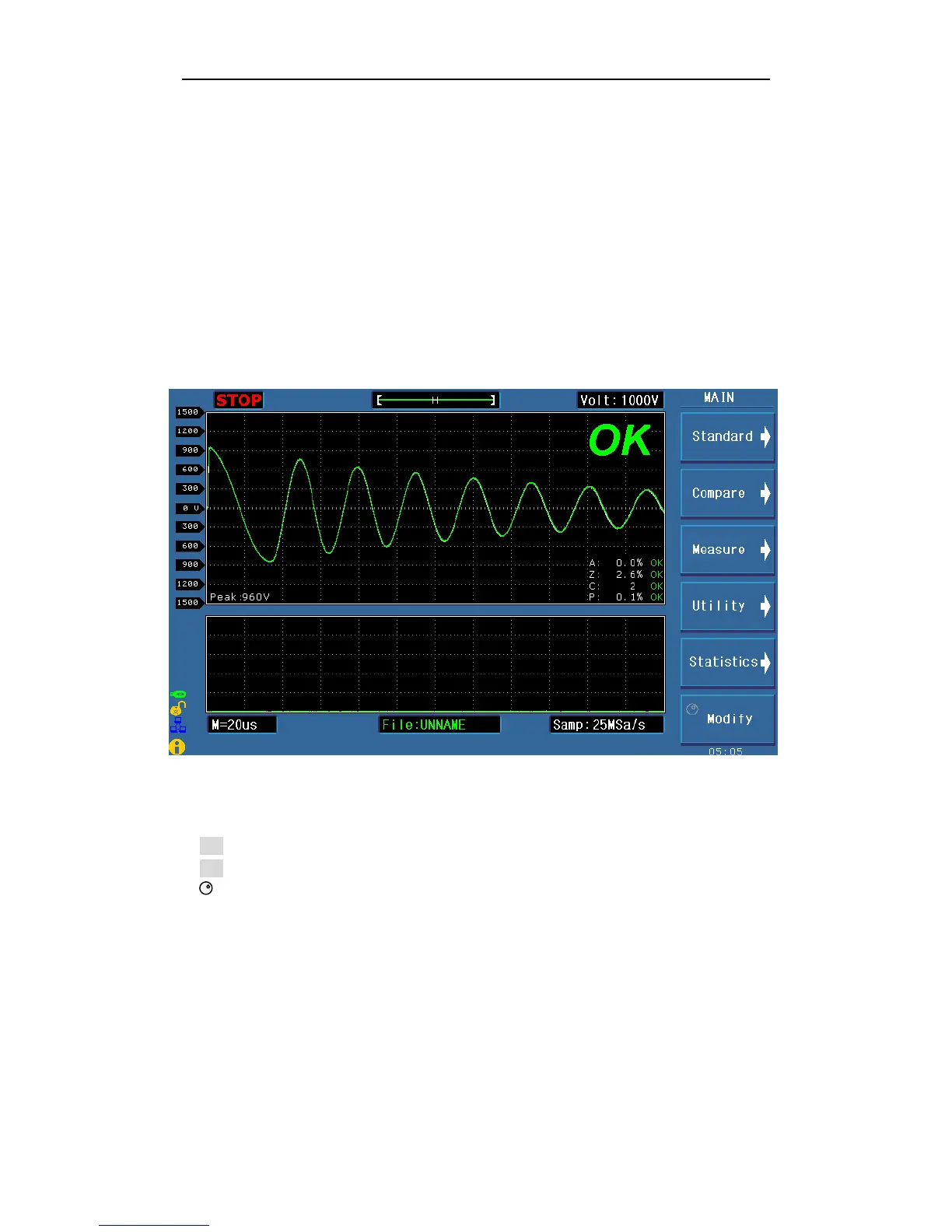
Press the DISP menu key to enter the < MEAS DISP> page (the default page). In this page,
measurements are taken and the test waveform is displayed. Some function settings such as
standard sampling (Standard), comparison setting (Compare), measurement function (Measure),
auxiliary function (Utility), statistic function (Statistics), display color of the waveform,
sampling rate, etc. Figure 4-1 shows the measurement display page.
4.1 Measurement display page
Figure 4-1 Measurement display page
4.2 Introduction to symbols in measurement display page
Enter the next menu.
Return to the upper menu.
Lighten this symbol to enable the roller, while darken this symbol to disable the roller.
The roller can be rotated and has the function of key.



 To Next Page