TH2883 Series Operation Manual Chapter 8 SCPI Command reference
8-22
Return format: <NR1>, <NR1>, <NR1>, <NR1>, <NR1>, <NR1>, <NR1>, <NR1>, <NR1>,
<NR1>, <NL^END>
The returned data are in turn as follows: total test times and times of PASS, total test times for Area
Size comparison and times of PASS, total test times for Diff Zone comparison and times of PASS,
total test times for Corona comparison and times of PASS, total times for Phase Diff comparison
and times of PASS. PASS rate can be automatically calculated according to the returned data.
8.3.10 MEASure subsystem commands
The MEASure subsystem commands sets the measurement range of voltage, frequency and time.
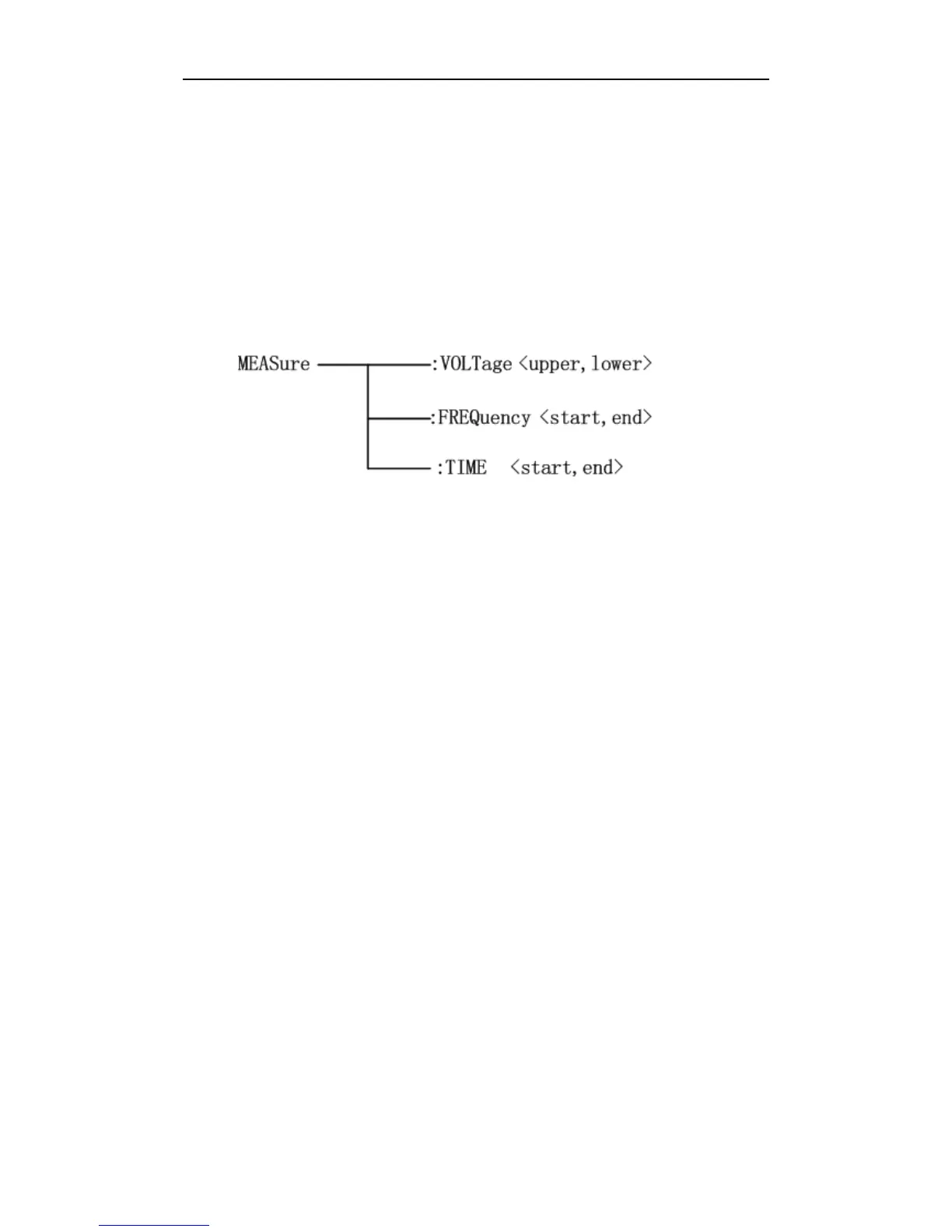
Figure 8-11 shows the MEASure subsystem command tree.
Figure 8-11 MEASure subsystem command tree
The :VOLTage command sets the measurement range of voltage. The :VOLTage? query returns the
current voltage range.
Command syntax: MEASure:VOLTage <upper>,<lower>
Where,
<upper> is the upper limit of voltage, NR1 format, ranging from 1 to 248 without unit.
<lower> is the lower limit of the voltage, NR1 format, ranging from 1 to 248 without unit.
For example: WrtCmd( “MEAS:VOLT 1,199” ); set the voltage to range from 1 to 199.
NOTE: The lower limit must be less than the upper one; otherwise an error message will be
displayed on the system message line.
Query sntax: MEASure:VOLTage?
Return format: <upper>,<lower><NL^END>
Both upper limit and lower limit are NR1 format.
The :FREQuency command sets the frequency range. The :FREQuency? query returns the
currently set frequency range.
Command syntax: MEASure:FREQuency <start>,<end>
Where,
<start> is the start point of frequency, NR1 format and ranging from 1 to 598 without unit.
<end> is the end point of frequency, NR1 format and ranging from 1 to 598 without unit.
For example: WrtCmd( “MAES:FREQ 100,200” ); set the frequency to range from 100 to 200.



 To Next Page