17
PREPARATION BEFORE USE
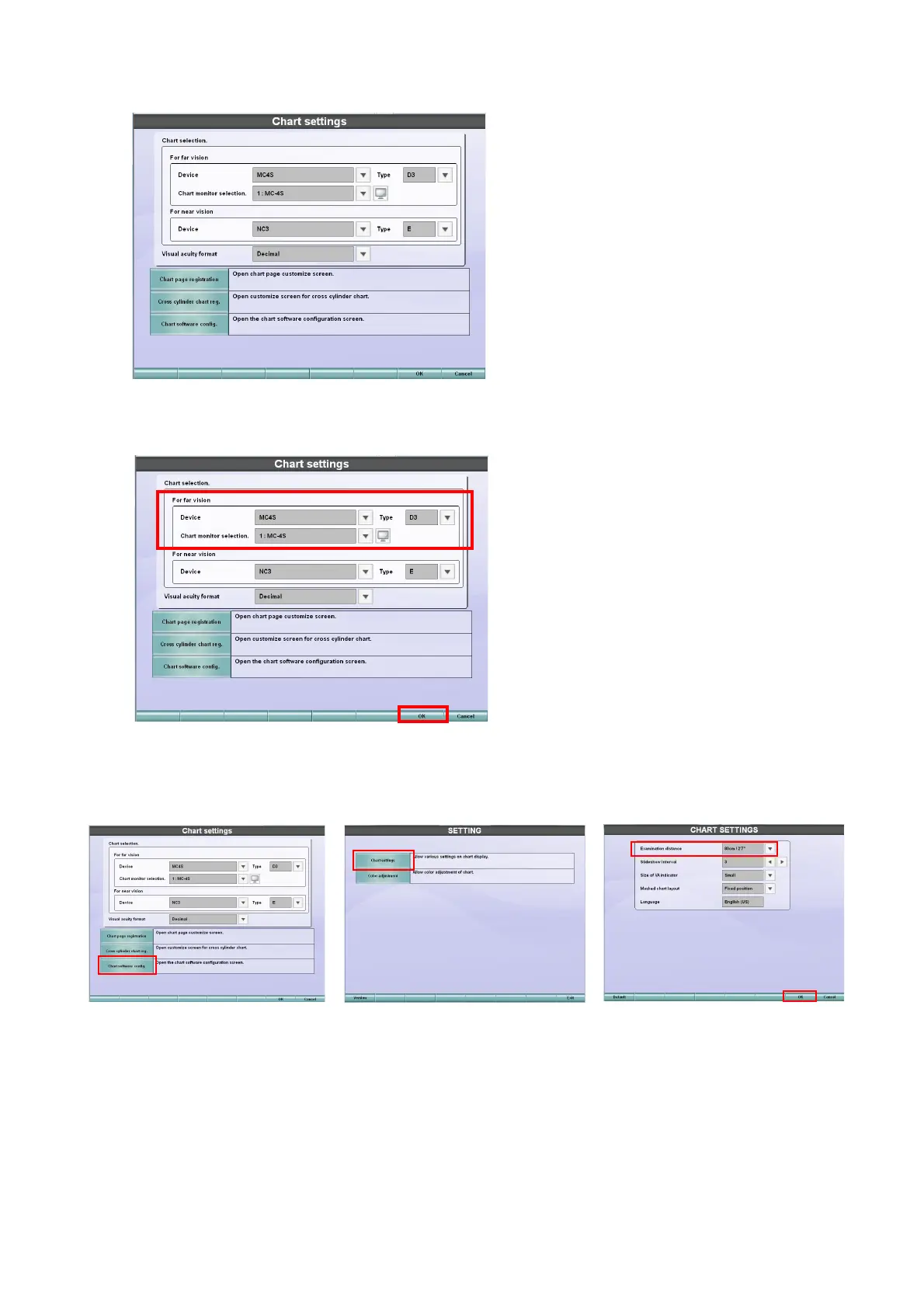
3 Touch the [Chart settings] button.
The menu to select the chart that should be connected is displayed.
4 Set "MC-4S" for "Device" of "For far vision" and then select a type from "Type". Then, select
"MC-4S" for "Chart monitor selection".
5 Touch the [Chart software config.] button and then the [Chart settings] button. The "CHART
SETTINGS" screen appears. Set [Examination distance] according to the real test distance.
Touch the [OK] button and then the [Exit] button. The "Chart settings" screen appears again.
6 Touch the [OK] button and then the [Exit] button to save the setting and finish the procedure.



 To Next Page