27
CHART FUNCTIONS UNIQUE TO THE MC-4S
CHART FUNCTIONS UNIQUE TO THE MC-4S
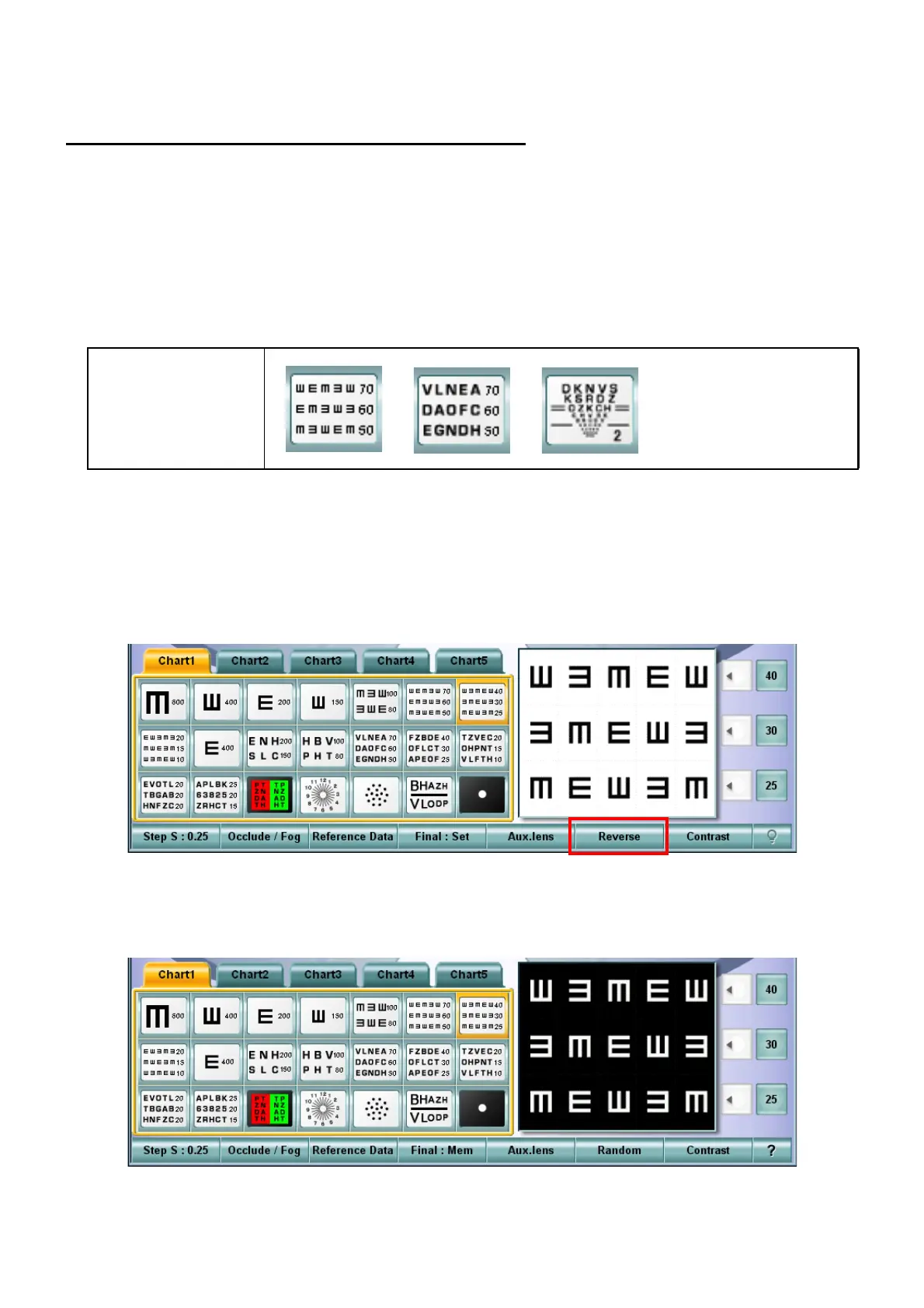
BLACK-AND-WHITE REVERSING FUNCTION
The MC-4S has the ability to change the chart indicating black characters with white background to the
one indicating white characters with black background in the visual acuity measurement.
Relevant chart
This function is applied to the visual acuity charts except the screening chart.
An example of the test chart icon displayed on the chart page of the KB-50S:
Reversing the black-and-white display condition
1 Select the visual acuity chart which can be reversed from the chart page.
2 Press the [Shift] key on the KB-50S and touch the [Reverse] button among the function buttons
at the bottom of the screen.
3 On the MC-4S, the chart is displayed in the reversed black-and-white condition.
At the same time, the chart is also displayed in the reversed condition on the chart check display
area of the KB-50S.
Usable chart



 To Next Page