52
CHART FUNCTIONS UNIQUE TO THE MC-4S
SETTING THE VISUAL ACUITY CHART
You can set a variety of operations such as the installing distance of the MC-4S, the display status of
mask, the display interval of a slideshow, etc.
Set the visual acuity chart through the setting screen of the CV system.
Displaying the setting screen
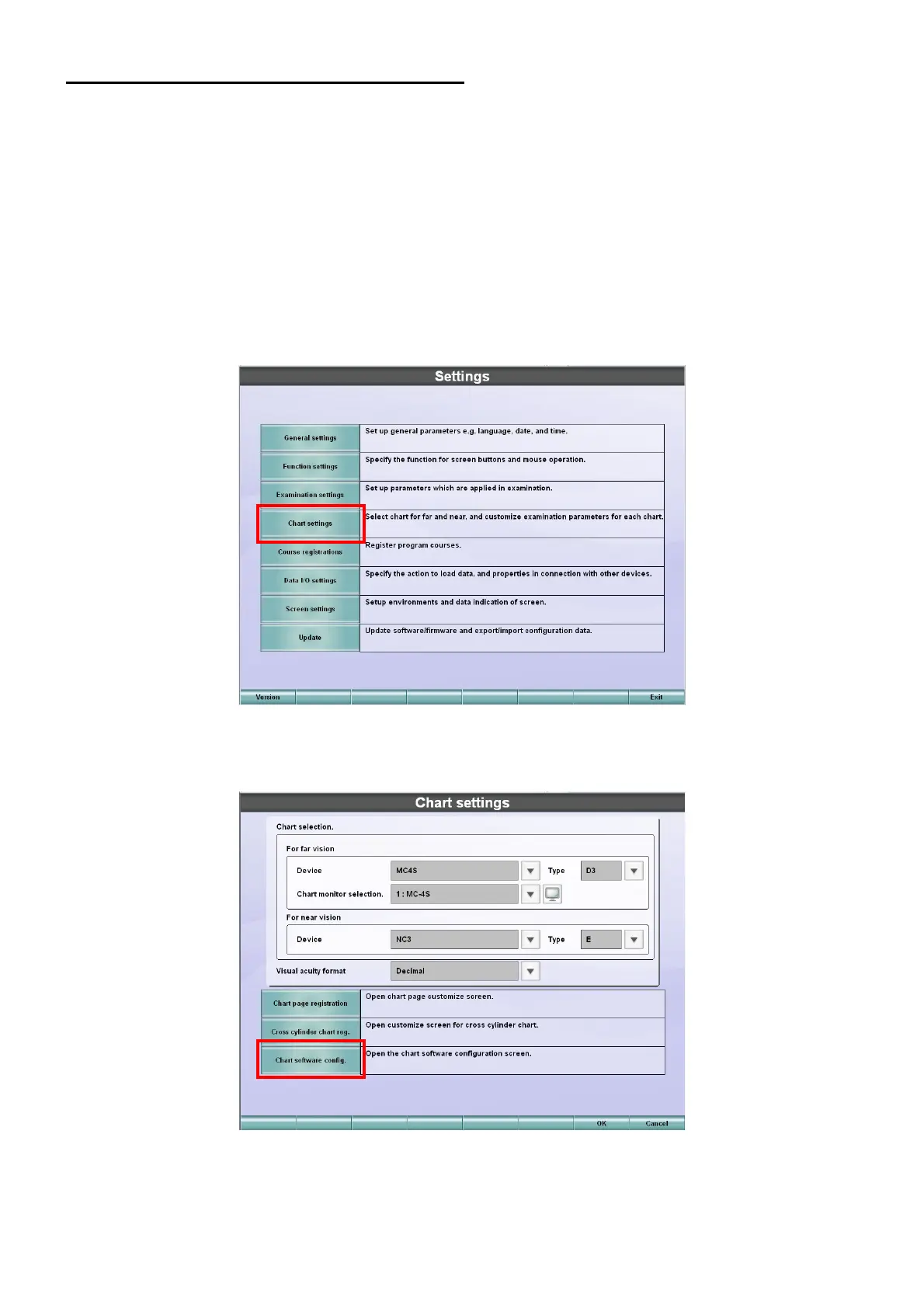
Display the setting screen of the MC-4S by the following procedure:
1 Press the [Shift] key and [Menu] key of the KB-50S at the same time.
2 The "Settings" menu is displayed.
Touch the [Chart settings] button on the "Settings" menu.
3 The "Chart settings" screen appears.
Make sure that "MC-4S" is set for "Device" and touch the [Chart software config.] button.



 To Next Page