21
INDICATION OF CHART
INDICATION OF CHART
The MC-4S has the functions particular to the image indication type. This user manual will explain the
chart functions that are unique to the MC-4S. For a general indication of charts, refer to the Compu-Vision
CV-5000 user manual.
TEST CHART LIST
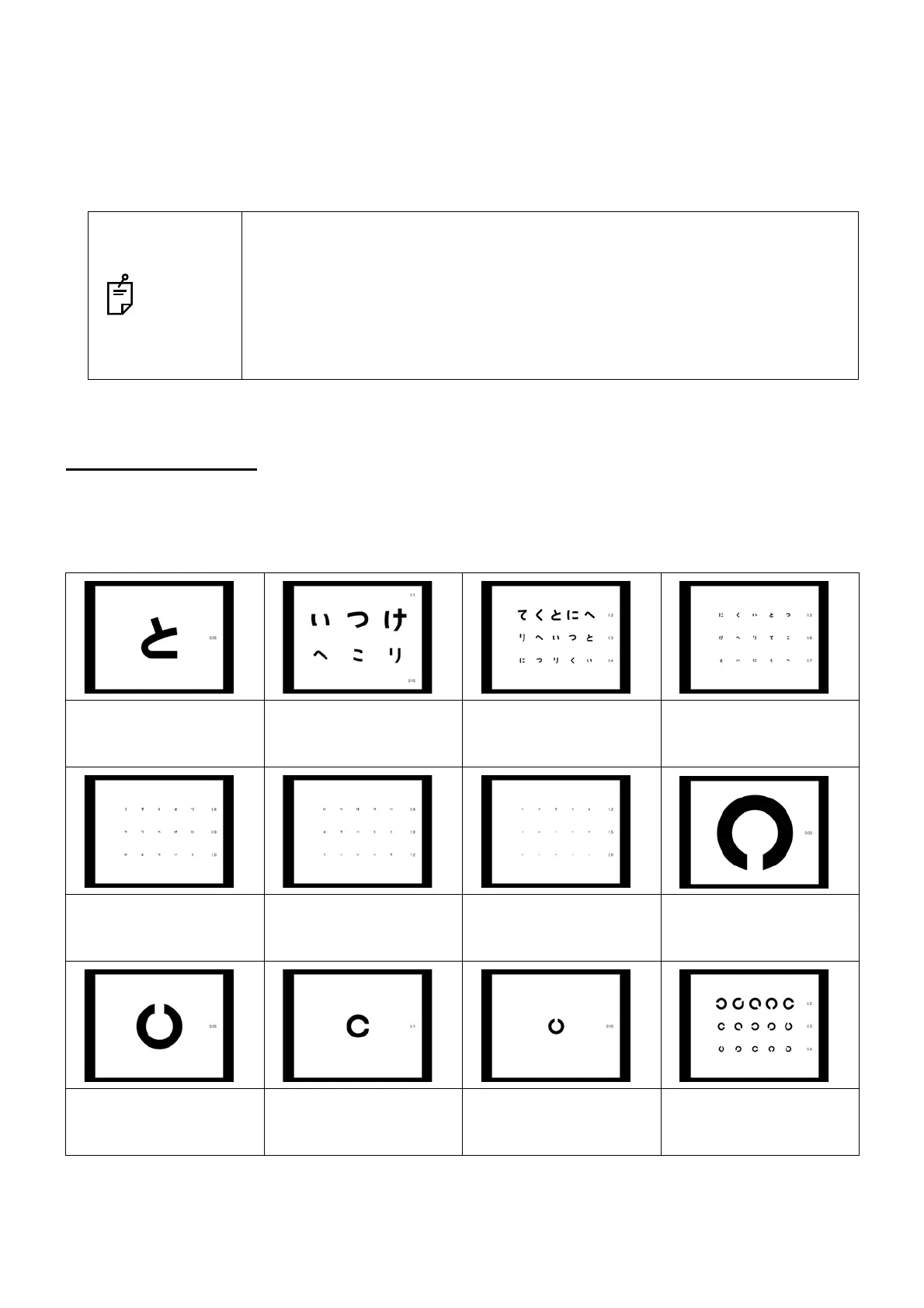
The MC-4S can indicate three types of charts (D type, F type and H1 type).
• D type
NOTES
• The Compu-Vision CV-5000 user manual describes the tests when the MC-4S
is used.
• When the instrument is set to indicate the visual acuity, it is indicated at the
right side of the chart.
When a large chart is selected, the visual acuity is indicated at the upper or
lower right. Sometimes, even if the system is set to indicate the visual acuity
in large size, it is forcedly indicated in small size.
Hiragana chart:
Visual acuity 0.05
Hiragana chart:
Visual acuity 0.1 and
0.15
Hiragana chart:
Visual acuity 0.2, 0.3
and 0.4
Hiragana chart:
Visual acuity 0.5, 0.6
and 0.7
Hiragana chart:
Visual acuity 0.8, 0.9
and 1.0
Hiragana chart:
Visual acuity 0.9, 1.0
and 1.2
Hiragana chart:
Visual acuity 1.2, 1.5
and 2.0
Landolt ring chart:
Visual acuity 0.03
Landolt ring chart:
Visual acuity 0.05
Landolt ring chart:
Visual acuity 0.1
Landolt ring chart:
Visual acuity 0.15
Landolt ring chart:
Visual acuity 0.2, 0.3
and 0.4



 To Next Page