29
CHART FUNCTIONS UNIQUE TO THE MC-4S
CHARACTER CONTRAST CHANGING FUNCTION
In the MC-4S, the character contrast of the chart can be changed and displayed for visual acuity measure-
ment.
There are two display methods. "Single rate character contrast mode" changes the character contrast of
the whole chart uniformly. "Plural rate character contrast mode" changes the contrast of each column on
the chart.
Single rate character contrast mode
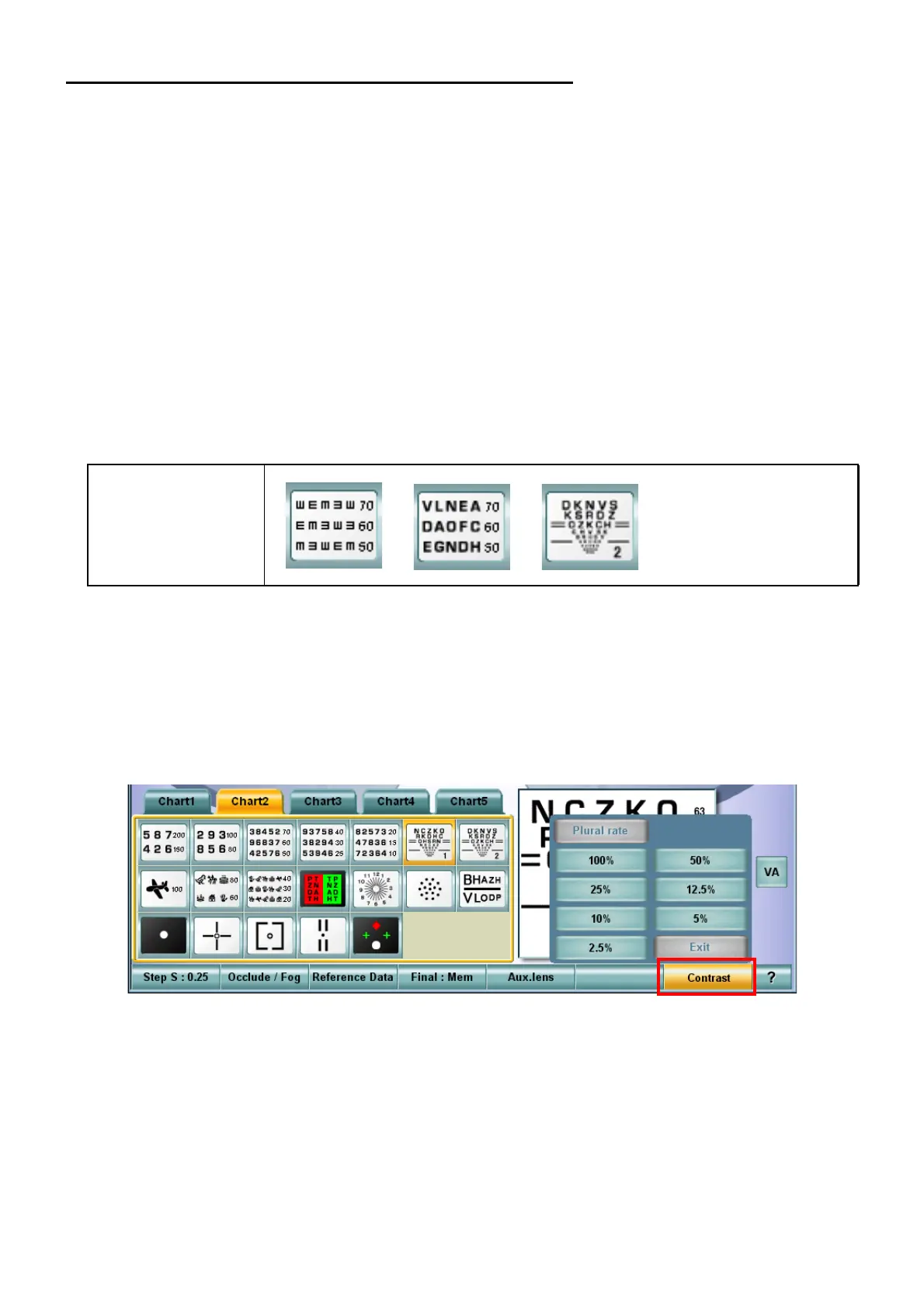
In "Single rate character contrast" mode, the character contrast on the chart can be changed in seven
steps, 2.5%, 5%, 10%, 12.5%, 25%, 50%, and 100%.
Relevant chart
This function is applied to all the visual acuity charts except the screening chart.
An example of the test chart icon displayed on the chart page of the KB-50S:
Setting "Single rate character contrast"
1 Select the visual acuity chart applicable to the "Single rate character contrast" function from the
chart page.
2 Touch the [Contrast] button among the function buttons at the bottom of the screen on the KB-
50S to display the contrast setting menu.
Usable chart



 To Next Page