8. Check and Adjusting
51
Horizontal Rotation Cone Error
Perform the following check after completing “Horizontal Calibration” on the previous page.
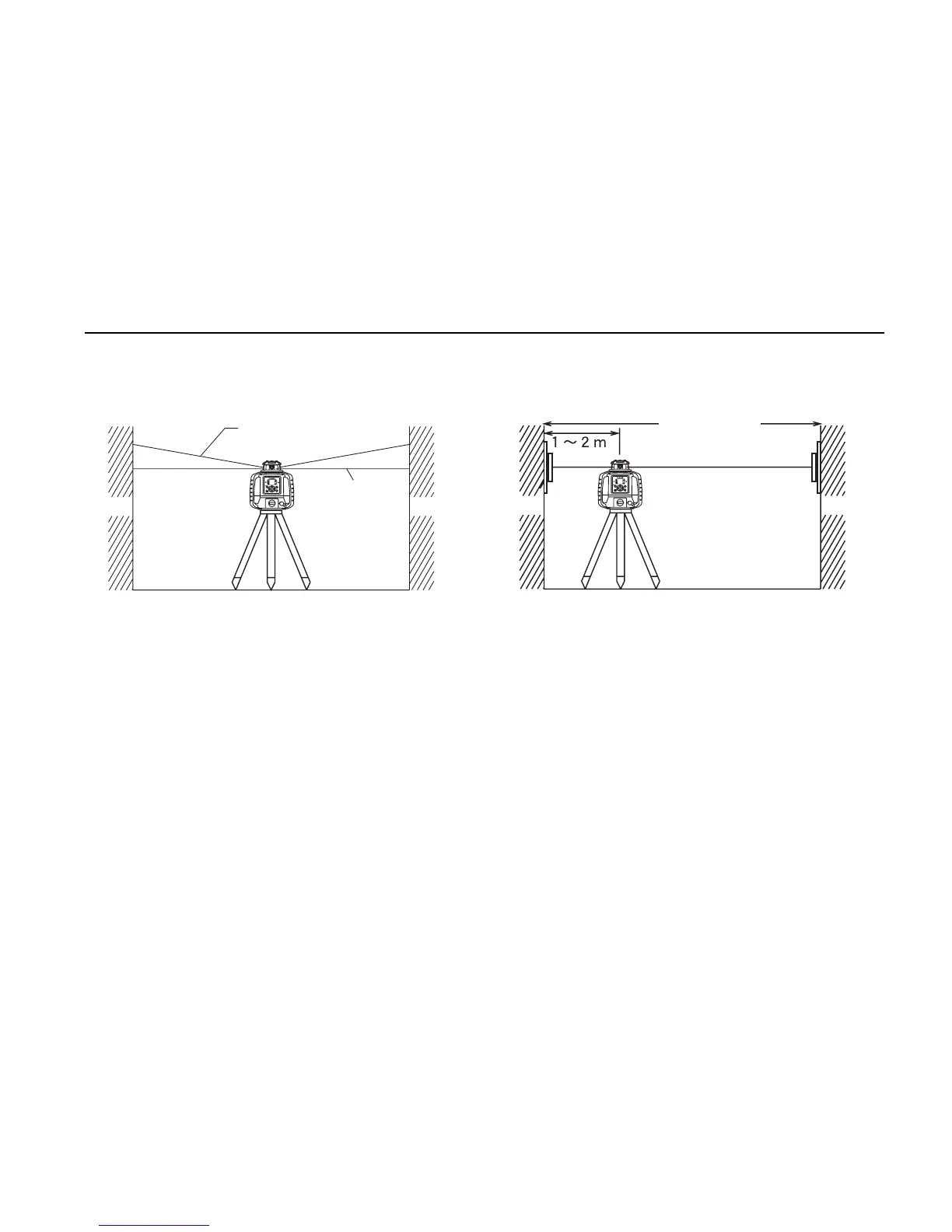
1 Set up the laser centered between two walls approximately 50 m (164 ft) apart. Orient the
instrument so one axis, either X or Y, is facing the walls. Grade should be set to 0.00% in
both axes.
2 Locate and mark the position of the RL-SV2S beam on both walls using the LS-80L.
3 Turn off the RL-SV2S and move the RL-SV2S closer to wall A (1 m to 2 m /3 ft to 6 ft).
Do not change the axis orientation of the RL-SV2S. Turn the RL-SV2S on.
4 Again locate and mark the position of the RL-SV2S beam on both walls using the LS-80L.
5 Measure the distance between the first and second marks on each wall.
Standard
location
Wall B
Wall A
Approx.µ°í
Wall B
Wall A
Cone Error



 To Next Page